

Search for free Blogger templates and you will find dozens of lists promising the best picks for 2026. Open a few and you notice something odd: most of them are the same list from 2016 with a new year in the title. The download links point to template pages last updated eight or nine years ago.
That matters more than it sounds. A template written in 2016 was built for jQuery, for pre-mobile-first indexing, and for a version of Blogger that has changed since. Install one today and you inherit render-blocking scripts, missing structured data, and Core Web Vitals scores that hurt you before you publish a single post.
So this list works differently. Below you get twelve free Blogger templates worth considering in 2026, sorted by the kind of blog you are building, with the features that actually differ between them laid out side by side so you can pick in a minute rather than an evening.
The Hidden Cost in Most Free Blogger Templates
Free Blogger templates are rarely free in the way you expect. Two costs show up again and again, and neither one is mentioned on the download page.
The footer credit is often locked. Most free templates place a designer credit in the footer, which is fair enough. The problem is how some of them enforce it. Instead of a plain link you can edit, the credit is written into obfuscated JavaScript buried near the bottom of the XML file. Delete the visible credit and a script rewrites it, or worse, redirects your visitors to the designer’s site after a few seconds.
Think about what that means for a blog you are trying to monetize. Traffic you worked to earn gets handed to someone else, and you may not notice for weeks because the redirect only fires under certain conditions.
Removing the credit legitimately usually costs money. Even reputable designers who do not obfuscate anything typically license their free templates on the condition that the credit stays. Removing it requires buying a license. That is a reasonable business model and there is nothing wrong with it, but you should know the terms before you build a brand around a template you cannot fully own.
There is also a third risk that is less common but more serious. Blogger templates are single XML files containing HTML, CSS, and JavaScript, and there is no review process anywhere. A file redistributed on a third-party download site can carry anything the uploader put in it, including scripts that inject ads or redirect mobile visitors. Readers have reported exactly this on template roundups, and the templates involved were quietly pulled.
The Features That Actually Matter in a Blogger Template
Every template page claims to be responsive, SEO friendly, and fast. Those words tell you nothing because everyone uses them. Here is what actually differs between the templates below, and what each difference costs you.
Homepage layout, matched to how much you publish
Magazine layouts with featured grids, category boxes, and news tickers look impressive on a demo filled with fifty dummy posts. On a blog with eight real ones, the same layout repeats the same articles in four different sections and looks thinner than a simple list would. Match the layout to the blog you have now, not the one you hope to have.
Label-driven sections
Blogger has no plugins, so the way these templates fill their homepage sections is by pulling posts from a label you specify. That is powerful once you understand it, and confusing before you do. It also means your label naming becomes structural: change a label later and a homepage section can go blank. Check the documentation for which labels the template expects before you install.
Pagination style, which you usually cannot change
Some templates use infinite scroll, others numbered pages, and Blogger is not flexible enough to let most themes offer both. This is worth a moment of thought because it is effectively permanent. Infinite scroll suits browsing, so it works for photo and travel blogs. Numbered pages suit archives people search through, and they make it easier for readers to find their place again.
Ad slots, and whether they sit where ads belong
Built-in ad areas save you from editing XML later. What matters is placement: a slot above the post and one below it are useful, a slot jammed between your title and your first paragraph will cost you readers. Look at the demo and decide whether you would tolerate the ad positions as a visitor.
Structured data and when it was last rebuilt
Templates that ship JSON-LD structured data give Google a cleaner reading of your posts without any work from you. This is also the fastest way to tell a maintained template from an abandoned one, since it is a feature nobody was adding in 2016. Check the date on the template’s own page, not the date on the list that sent you there.
Quick comparison
| Template | Best for | Homepage | Pagination | Ad slots |
|---|---|---|---|---|
| Pixel | News, monetized blogs | Featured grid, mega menu | Numbered | Three areas |
| Kaplan | Magazines | Five-post grid, carousel | Numbered | Yes |
| FutureMag | High-volume news | Ticker, category boxes | Numbered | Yes |
| Ember | Multi-topic blogs | Autoplay slider | Numbered | Yes |
| Minimal | Lifestyle, fashion | Featured area, gallery | Numbered | Yes |
| Simplify | Writing-first blogs | Clean list, slide-out menu | Infinite scroll | Minimal |
| Sora One | General blogs | Simple magazine | Numbered | Yes |
| PhotoMag | Photography | Fullscreen slider | Infinite scroll | Minimal |
| Shutter | Portfolios | Slider, masonry grid | Selectable | Minimal |
| Plasma | Travel | Four-post grid | Infinite scroll | Yes |
| SEO Mag | General magazines | Carousel, mega menu | Numbered | Yes |
| TheBlogger | General blogs | Category navigation | Numbered | Yes |
One last thing worth doing before you commit. Every template below has a live demo, so paste that demo URL into PageSpeed Insights and check the mobile score. The demo runs on the same Blogger infrastructure yours will, which makes it an honest preview of what you are installing.
Best Free Blogger Templates for News and Magazine Blogs
These suit multi-topic sites, news blogs, and anything with enough posts to fill a busy front page.
1. Pixel
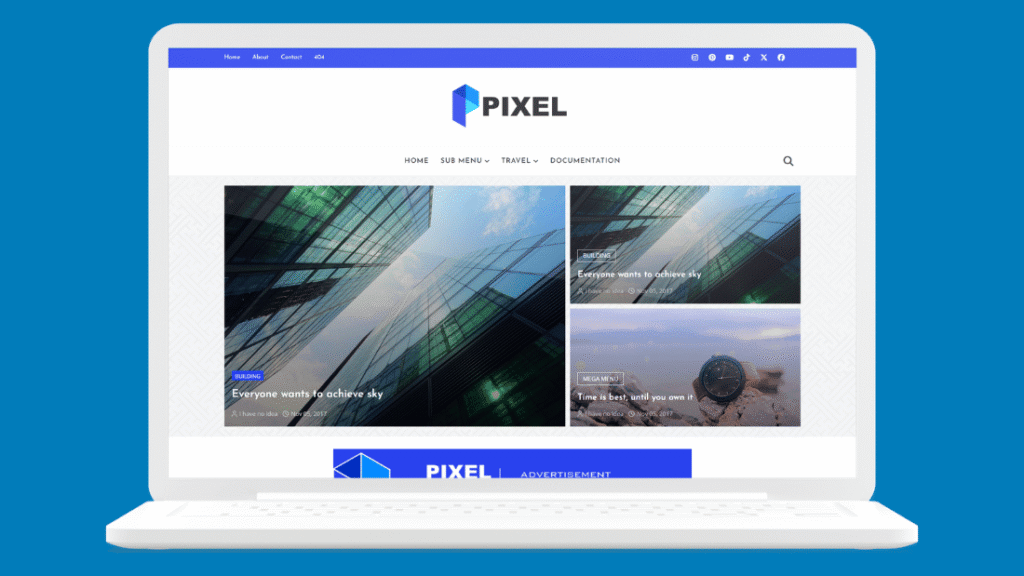
The strongest all-round pick on this list. The homepage opens with a featured post grid you control from a label setting, navigation supports image-rich mega menus, and there are three dedicated ad areas built in. It was rebuilt in 2026 with jQuery and Bootstrap stripped out in favor of plain JavaScript, plus JSON-LD structured data and lazy-loaded images.
If you plan to run ads eventually, start here. View the demo.
2. Kaplan
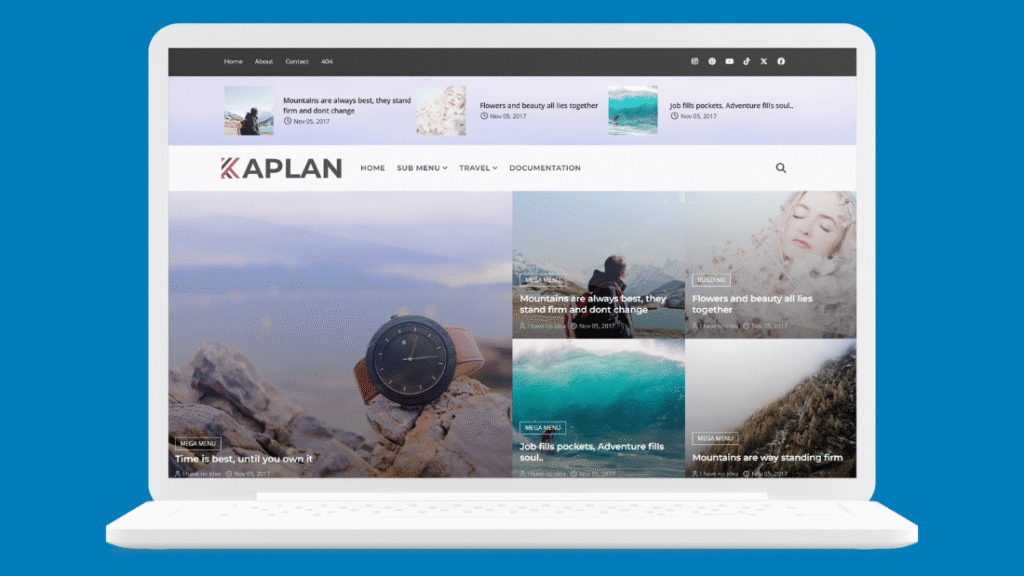
The most distinctive homepage in the collection: a five-post featured grid pairing a large hero with a block of story tiles, topped by a carousel. It reads like a real newsroom front page rather than a blog with a slider bolted on. The 2026 update moved the carousel to Swiper and added structured data across the board. View the demo.
3. FutureMag
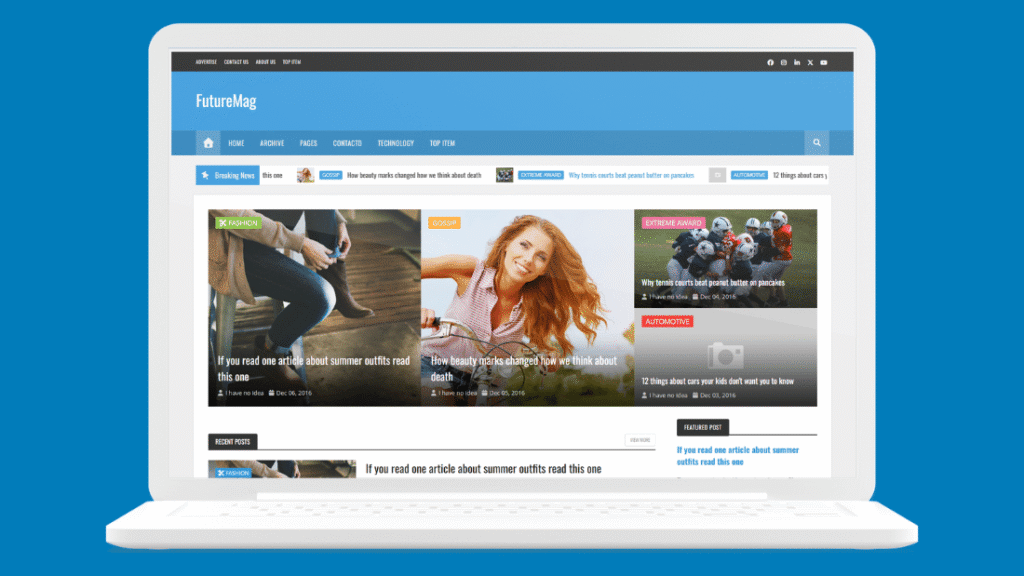
The closest thing to an actual newspaper layout you will find for free. Scrolling news ticker, featured story strip, category boxes in two columns, gallery and video sections, and a post carousel, with every section fed by post labels and arranged from Blogger’s Layout editor.
Be honest with yourself about whether you have the content volume to fill it. An empty newspaper layout looks worse than a full simple one. View the demo.
4. Ember
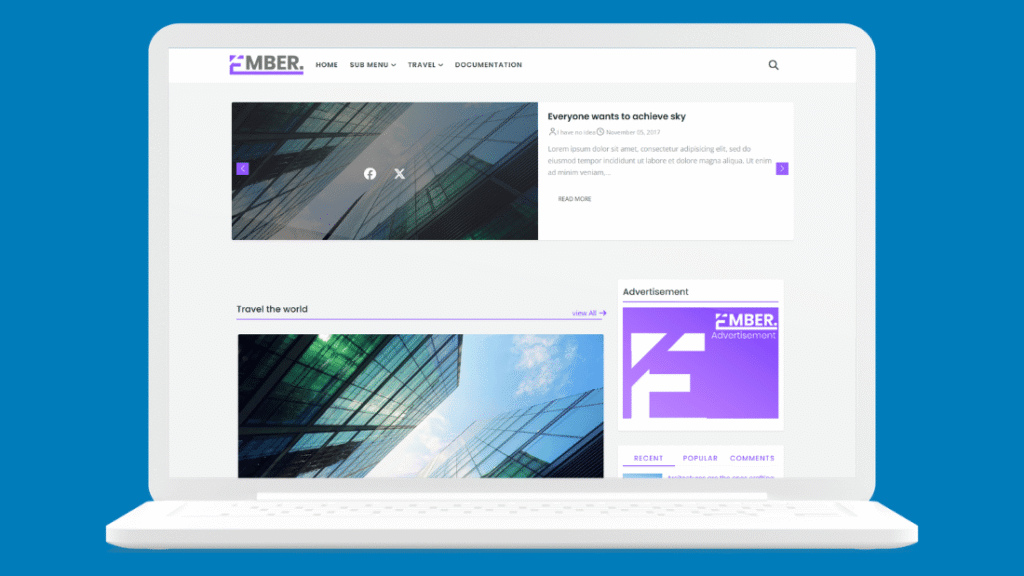
A brighter magazine option built around an autoplay featured slider and label-driven content sections. A sticky sidebar with recent, popular, and comment tabs keeps navigation available as readers scroll, and the ad placements are ready to fill. Everything configures from the Layout editor without touching code, which makes it a good fit if you would rather not open the XML at all. View the demo.
Best Free Blogger Templates for Personal and Lifestyle Blogs
If your blog is mostly writing, these get out of the way and let the words carry the page.
5. Minimal
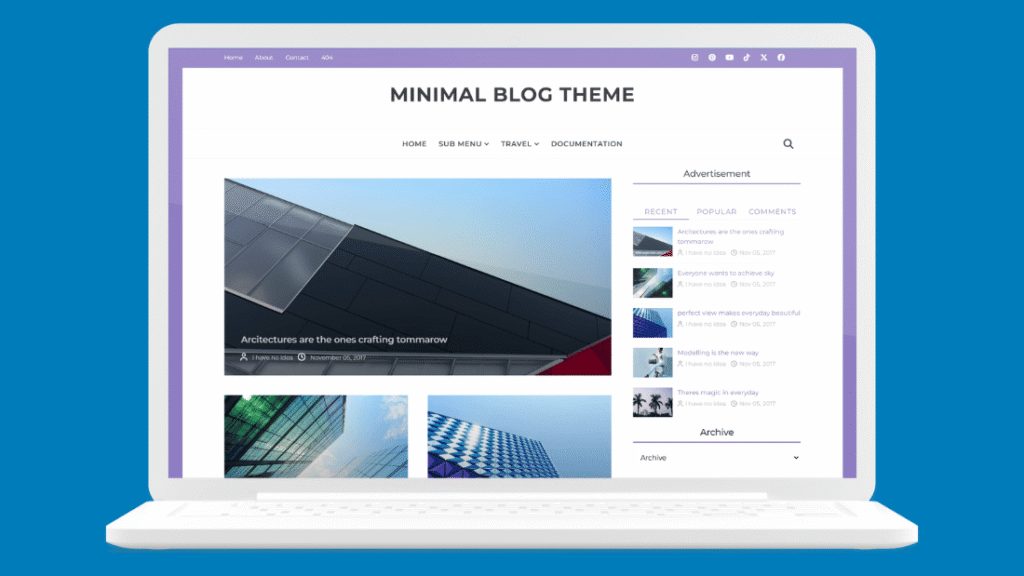
Generous whitespace, Montserrat typography, and a restrained palette give this one the feel of a paid magazine theme. Underneath the calm surface it still offers a label-driven featured area, a mega menu, and gallery widgets when you want them. Good for lifestyle blogs, fashion diaries, and personal journals. View the demo.
6. Simplify
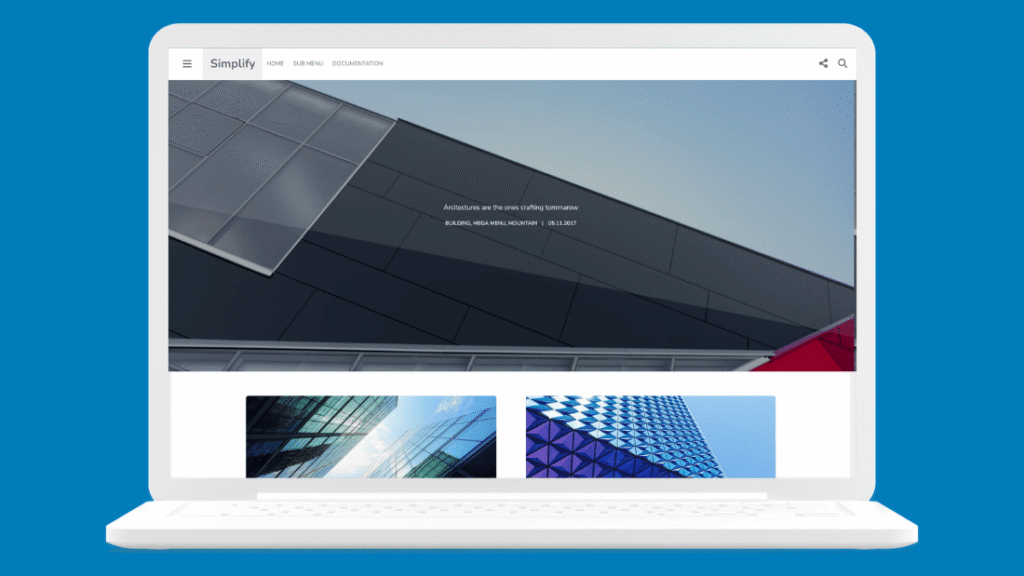
The lightest template here, and the one I would pick for a pure writing blog. Navigation, search, and widgets all live in a slide-out sidebar so the reading column stays clean, and posts load automatically as readers approach the bottom of the page. The 2026 rewrite put the infinite scroll on plain JavaScript and removed the legacy frameworks entirely. View the demo.
7. Sora One
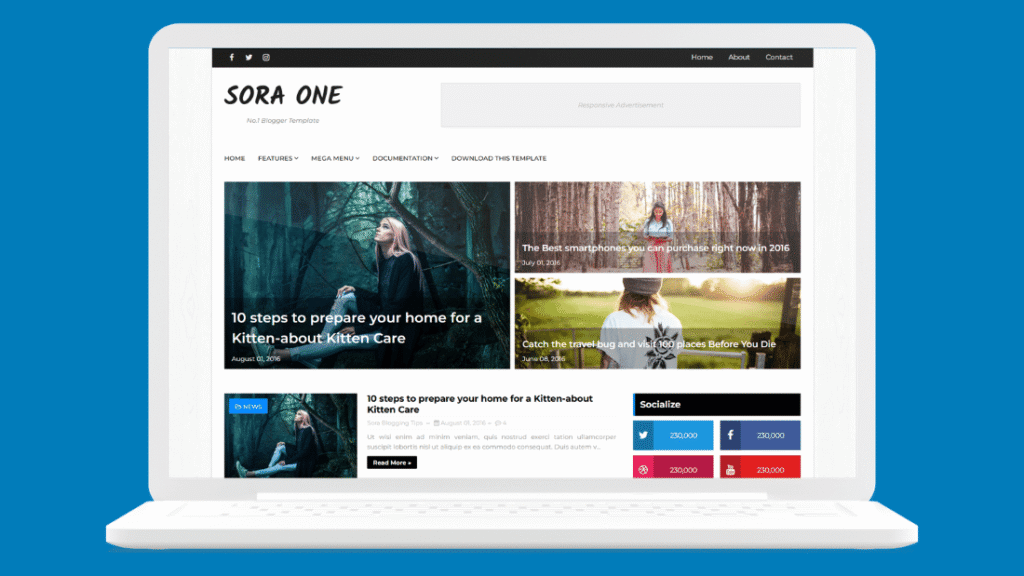
A widely used minimal magazine template with a contact form page, social icons, ad spots, and a dropdown menu. It is older than the templates above and has not been modernized in the same way, so check it against the PageSpeed step before committing. It earns its place because it is genuinely popular and well documented, which means help is easier to find. View the template page.
Best Free Blogger Templates for Photography and Travel
Image-heavy blogs have a specific problem: the design has to show photos large without destroying load time. These three handle that trade-off.
8. PhotoMag
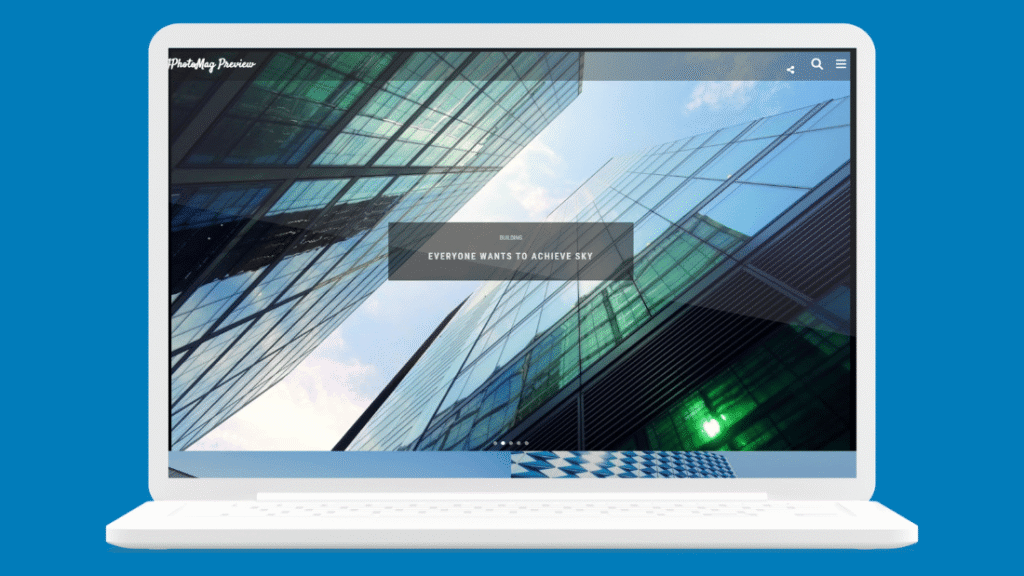
Dark, image-first, and built around a fullscreen fade slider fed by any post label. Photo posts stream in with infinite scroll and a slide-out menu keeps navigation from competing with the images. Its 2026 update swapped the old carousel library for an on-demand slider and added lazy loading throughout. View the demo.
9. Shutter
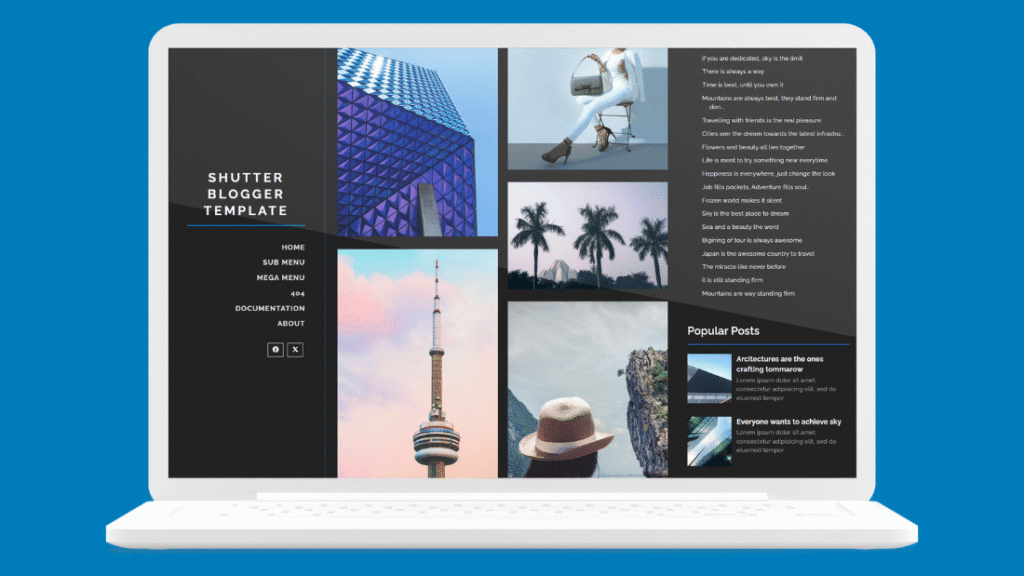
Built for portfolios rather than blogs. A fixed dark sidebar holds your branding, menu, and social links while the content area opens on a fullscreen photo slider, followed by an animated masonry grid. You can choose numbered pages, infinite scroll, or prev and next arrows from the Layout editor. View the demo.
10. Plasma
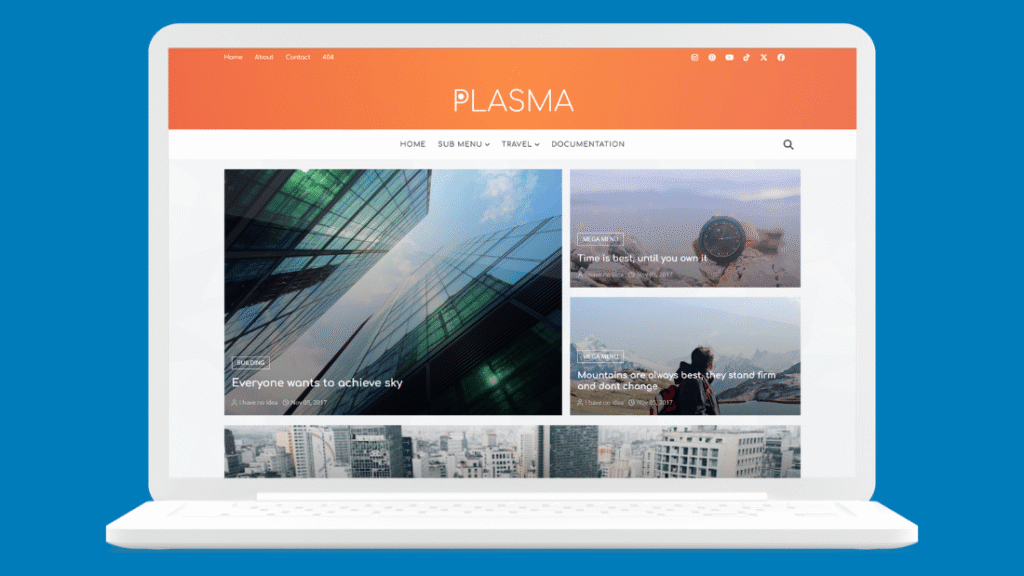
A travel template that doubles as a news layout. The homepage leads with a four-post featured grid and posts keep loading as readers scroll, which suits destination guides and photo essays where people browse rather than search. Rounded Comfortaa typography gives it a friendlier feel than the magazine options above. View the demo.
Two Older Templates Still Worth Considering
These have not been rebuilt for 2026 and I am including them with that stated plainly, because they remain widely installed and you will see them recommended everywhere. Run the checks above before you use either.
11. SEO Mag
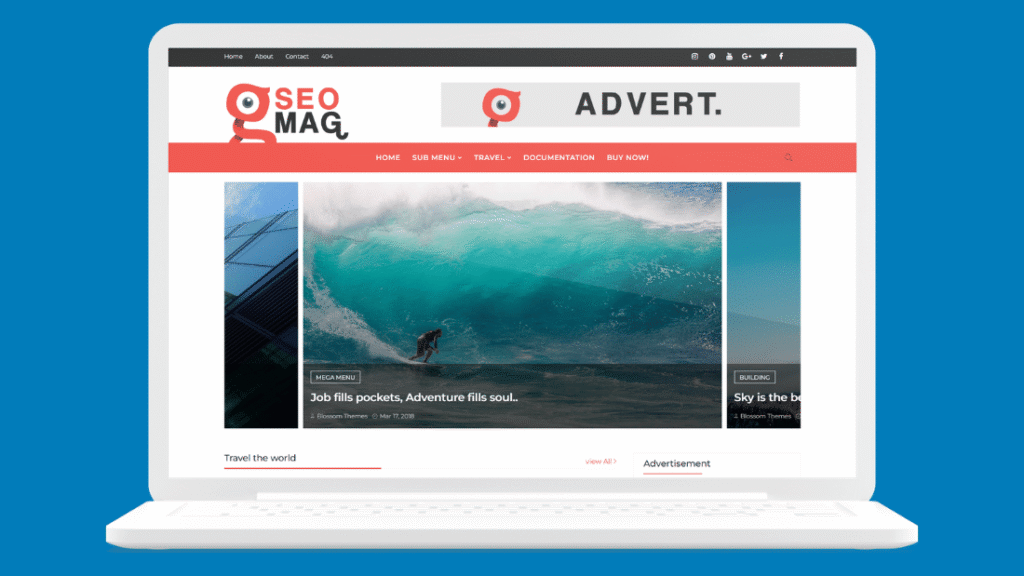
A general-purpose magazine template with a carousel slider, mega menu, sticky sidebar, and widget-rich footer. The name promises more than any template can deliver, since search performance comes from your content rather than your theme, but the underlying structure is sound and the ad placements are usable. View the template page.
12. TheBlogger
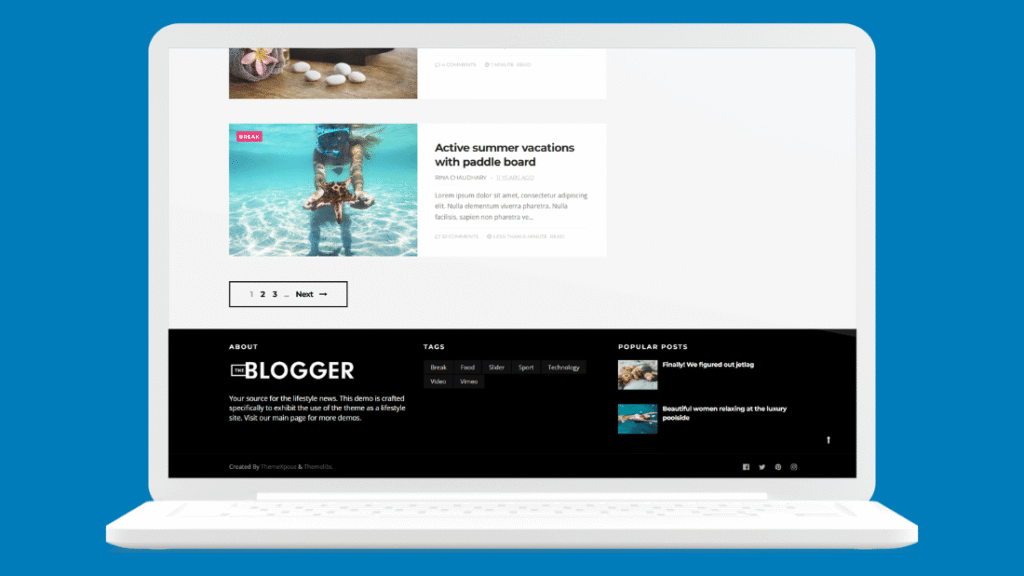
A straightforward blog and magazine template with clear category navigation, a newsletter block, and predefined ad slots. It is a reasonable choice for a general blog that does not fit any of the niches above. View the template page.
How to Install a Blogger Template
The whole process takes a couple of minutes, and the first instruction is the one people skip.
Back up your current theme first
In your Blogger dashboard go to Theme, open the dropdown arrow next to ‘Customize’, and choose ‘Backup’. This downloads your existing theme as an XML file. If the new template breaks something, this file puts everything back.
Unzip the download and find the XML file
Template downloads usually contain the XML file plus documentation and sometimes several color variants. Blogger only wants the .xml file. If there are multiple versions, the documentation will tell you which is which.
Upload it through the Theme page
Back on the Theme page, open the same dropdown and choose ‘Restore’, then select your XML file. If Blogger returns a parsing error, you almost certainly selected a WordPress theme file or the wrong file from the zip. Blogger templates are always a single XML file.
Rebuild your widgets
Your posts and pages are untouched by a template change, but widget arrangements do not carry over. Go to Layout and set up your sidebar, menu, and any featured sections. Most of these templates drive their homepage sections from post labels, so check the documentation for which label names it expects.
Once the new template is live, it is worth confirming Google can still read your site properly. If you have not done it yet, add your blog to Google Search Console and watch for crawl errors over the following week.
A Word About AdSense and Templates
Many of these templates are marketed as AdSense-ready, and several genuinely do include well-placed ad slots that save you fiddling with code. That is a real convenience.
What a template will not do is get you approved. AdSense reviewers look at your content, your traffic, and whether your site has the pages a real publisher has. A beautiful template on a blog with four thin posts gets rejected, and a plain template on a blog with forty useful ones gets approved. Choose your template for your readers and treat the ad slots as a bonus you will use later.
Should You Be on Blogger at All?
Worth asking before you spend an evening on template choices. Blogger’s appeal is real: it is free, it is hosted by Google, it is stable, and it will not send you a renewal invoice. For a hobby blog or a first project, that is a fine place to be.
The limits show up when you want to grow. There is no plugin ecosystem, so anything the template does not do requires editing XML yourself. There is no ecommerce worth the name. And the platform’s share of the web has been shrinking for years, which means fewer designers building new templates and less community support when something breaks.
The practical answer: if you are testing whether you enjoy blogging, stay on Blogger and pick a good template from this list. If you already know you are building something long term, put the money into hosting instead. Either way, get a custom domain early. It costs little, it makes you look serious, and it means you can move platforms later without losing your audience or your search rankings. A custom domain also unlocks options a blogspot address cannot use, including putting your blog behind Cloudflare for speed and security.
Frequently Asked Questions
Will changing my Blogger template delete my posts?
No. Posts, pages, and comments live separately from your theme and survive any template change. What you will lose is your widget arrangement, which you rebuild from the Layout page in a few minutes.
Can I remove the designer credit in the footer?
Usually not without buying a license. Most free Blogger templates are licensed on the condition that the credit link stays, and some enforce it with scripts that restore the credit or redirect your visitors if it is missing. Check the license terms on the template’s own page before you install it.
Are Blogger templates and Blogspot templates the same thing?
Yes. Blogger is the platform and blogspot.com is the free domain it publishes to, so both names refer to the same XML theme file. Every template here works whether your blog uses a blogspot.com address or a custom domain.
Do free Blogger templates come with support?
Almost never. Free versions are typically distributed as is, with support reserved for premium buyers. Assume you are on your own, which is another reason to prefer templates with proper documentation and an active demo site.
Does my template affect my Google rankings?
Indirectly. A template cannot rank you, but a slow or non-responsive one can hold you back through poor Core Web Vitals and a bad mobile experience. A clean, fast template removes an obstacle. Your content still has to do the work. For the official position, see Google’s page experience documentation.
Pick the template that matches the blog you actually have, run it through the two-minute check, and then stop thinking about design. The template you choose today matters far less than whether you are still publishing six months from now.