
Search for “best SEO tools” and you drown in lists of fifty products, each one supposedly essential, most of them costing more per month than your hosting does per year. For a beginner, it is paralyzing. You do not need fifty tools. You need to know which few actually matter for where you are right now.
This guide breaks down 30 of the most useful SEO tools in 2026, both free and paid, grouped by what they actually do. For each one you get a plain explanation of what it is for, who it suits, and a rough price range. We deliberately keep prices as ranges, because SEO tool pricing changes constantly, so always confirm the current number on the tool’s own website before you buy. Where a tool has genuinely useful AI features, which matter more every year as AI search grows, we call them out too.
One honest word before we start. You do not need most of these. A beginner can run a healthy site on free tools alone for a long time. Treat this as a map of what exists, not a shopping list you must complete. Pick the one or two that match your actual problem, and ignore the rest until you genuinely outgrow them.
How to Choose Without Wasting Money
Before the list, here is the filter that saves beginners the most money. Most SEO work splits into a few jobs: finding keywords, fixing technical issues, improving content, checking backlinks, and tracking rankings. You rarely need a separate paid tool for each, and you almost never need them all on day one.
Start with free tools, especially Google’s own, which we cover first. Add a paid tool only when a specific task becomes painful without it, like when keyword research by hand gets too slow. Buying a $140 a month suite before you have published ten articles is spending money to feel productive, not to get results. Let your real needs pull you toward paid tools, rather than buying ahead of them.
If you are still learning the basics of how Google finds and ranks sites, our beginner guides on Google Search Console and how indexing and ranking differ are worth reading first, because tools make far more sense once you understand what they are measuring.
Free Google Tools Every Site Should Use
These come straight from Google, cost nothing, and use Google’s own data. If you use no other tools at all, use these. For most beginners, they cover the majority of what you need.
1. Google Search Console
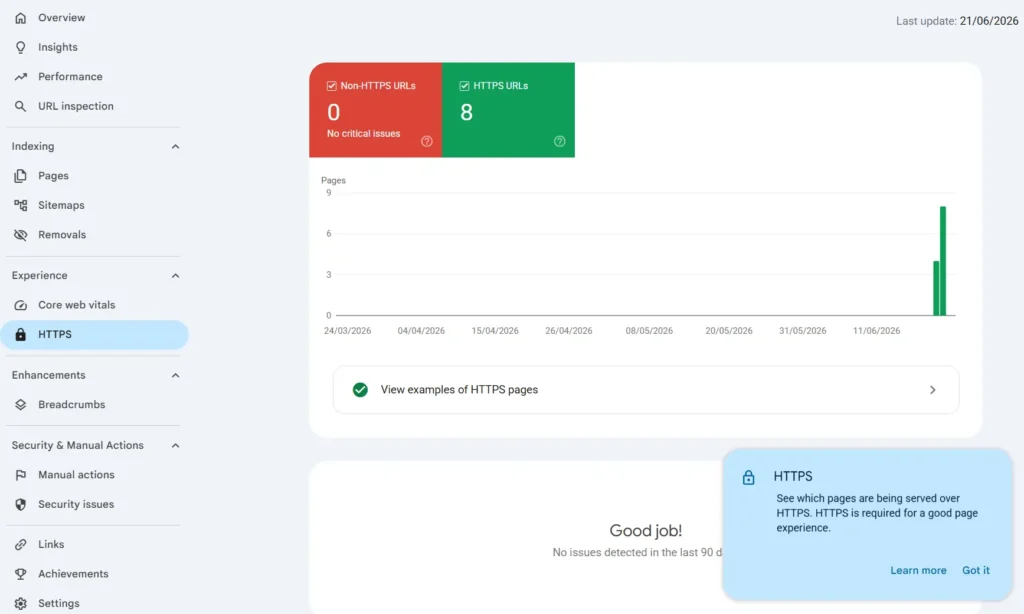
This is the single most important free tool in SEO, full stop. Google Search Console shows you how your site performs in Google search: which queries bring you impressions and clicks, your average position, which pages are indexed, and any problems Google found. It is first-party data straight from the source, which no paid tool can fully replicate. Every site owner should set this up before spending a cent elsewhere.
Most-used feature: the Performance report, which shows the exact searches bringing you clicks and impressions, plus your average position. Best for: everyone, beginner to expert. Price: free.
2. Google Analytics 4
Where Search Console tells you how people find you, Google Analytics 4 tells you what they do once they arrive: how many visitors you get, which pages they read, how long they stay, and where they came from. The two tools complement each other, and together they give you a full picture of your traffic. GA4 has a steeper learning curve than the old version, but the basics are enough at first.
Most-used feature: the traffic acquisition reports, which show where your visitors come from and what they do on your site. Best for: understanding visitor behavior. Price: free.
3. Google Keyword Planner
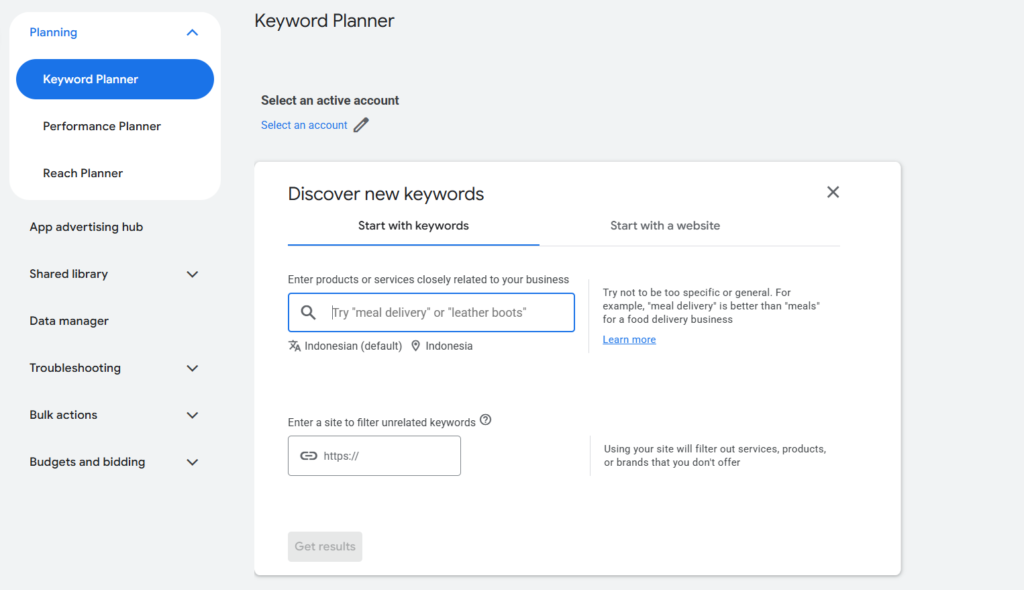
Built into Google Ads but usable for SEO, Keyword Planner gives you search volume and competition data drawn directly from Google. Because it is Google’s own data, the search volume estimates are reliable, though they are shown as ranges unless you run ads. It is a solid free starting point for keyword research before you consider any paid keyword tool.
Most-used feature: search volume data, giving you Google’s own estimates of how often a keyword is searched. Best for: basic keyword research on a budget. Price: free with a Google Ads account.
4. Google Trends
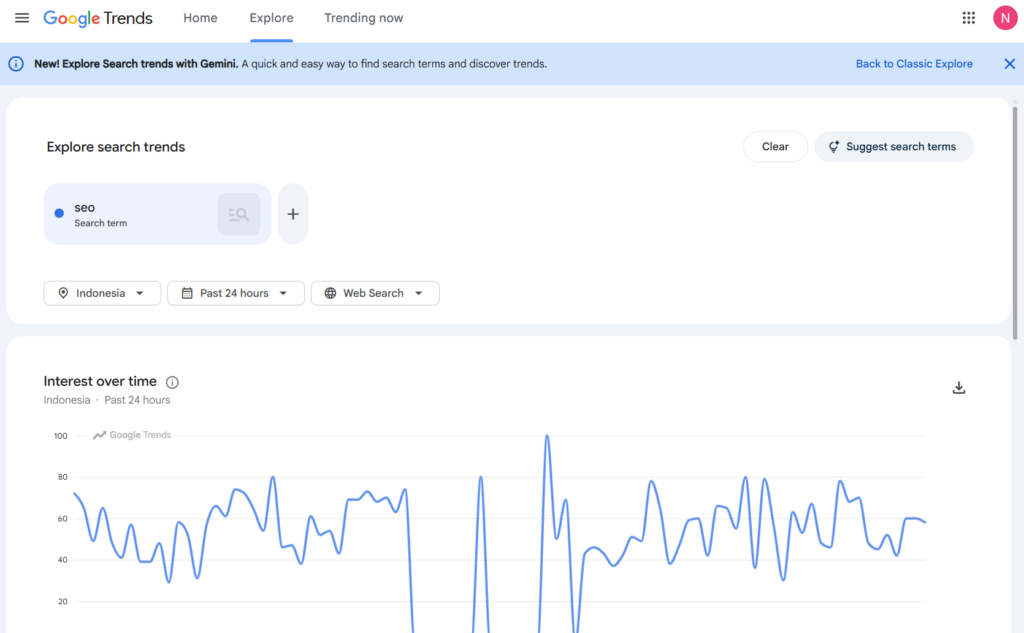
Google Trends shows you how interest in a topic changes over time and how it compares across regions and related searches. It will not give you exact search volumes, but it is excellent for spotting whether a topic is rising or fading, catching seasonal patterns, and comparing two ideas before you commit to writing. A genuinely useful free tool for content planning.
Most-used feature: the compare feature, which lets you see how interest in two topics rises or falls over time. Best for: spotting trends and seasonal topics. Price: free.
5. Google PageSpeed Insights
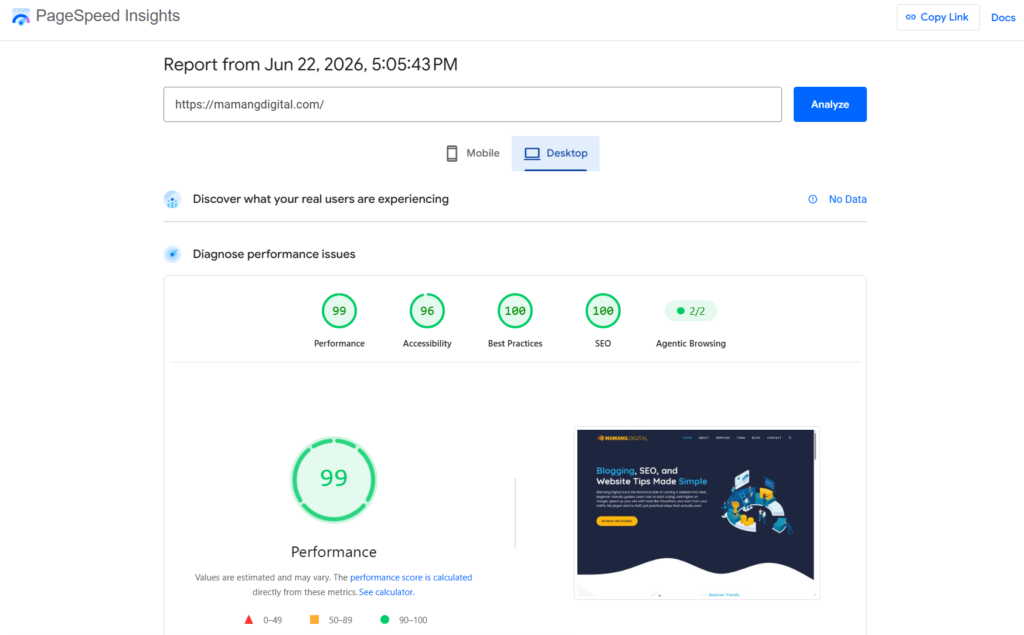
This free Google tool measures how fast your pages load and scores your Core Web Vitals, the speed and stability metrics Google cares about. You enter a URL and get a report with specific problems and suggestions to fix them. Since speed affects both rankings and reader experience, this is a handy free check to run on your important pages.
Most-used feature: the Core Web Vitals report, which scores your real-world loading speed and flags what to fix. Best for: checking page speed and Core Web Vitals. Price: free.
All-in-One SEO Suites and Keyword Research
These are the big, paid platforms that try to do everything: keyword research, competitor analysis, site audits, rank tracking, and backlinks. They are powerful and popular, but also the most expensive category here. A beginner does not need one of these to start, but they are worth knowing about for when you grow.
6. Semrush
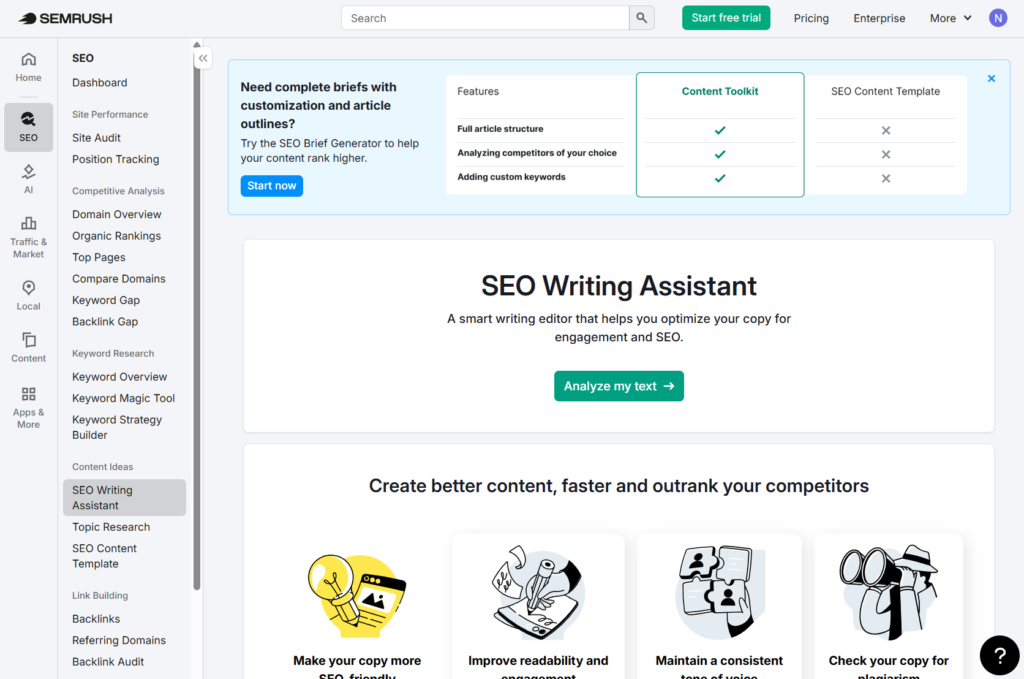
Semrush is the most comprehensive all-in-one platform on the market, bundling keyword research, competitor analysis, site audits, rank tracking, content tools, and even paid-ads research into one place. Its keyword database is enormous, and its Keyword Magic Tool is widely praised. The trade-off is price and complexity: it can feel overwhelming for a beginner, and the entry plan is one of the pricier in the category. Note that Semrush recently restructured into “Classic” and “Semrush One” plans, so check current options directly.
AI features: Semrush is one of the most AI-forward suites in 2026. Semrush Copilot is a free AI assistant that reviews your projects and hands you a prioritized list of fixes and opportunities. ContentShake AI helps draft and optimize content, and the AI Visibility Toolkit tracks whether your brand appears in answers from ChatGPT, Google AI Overviews, Perplexity, and Gemini, which is a fast-growing concern as AI search spreads.
Most-used feature: the Keyword Magic Tool, its huge and widely loved database for finding keyword ideas. Best for: serious marketers and agencies wanting one platform for everything. Price: a limited free tier exists; paid plans roughly $140 to $500 a month depending on tier. Confirm current pricing on semrush.com.
7. Ahrefs
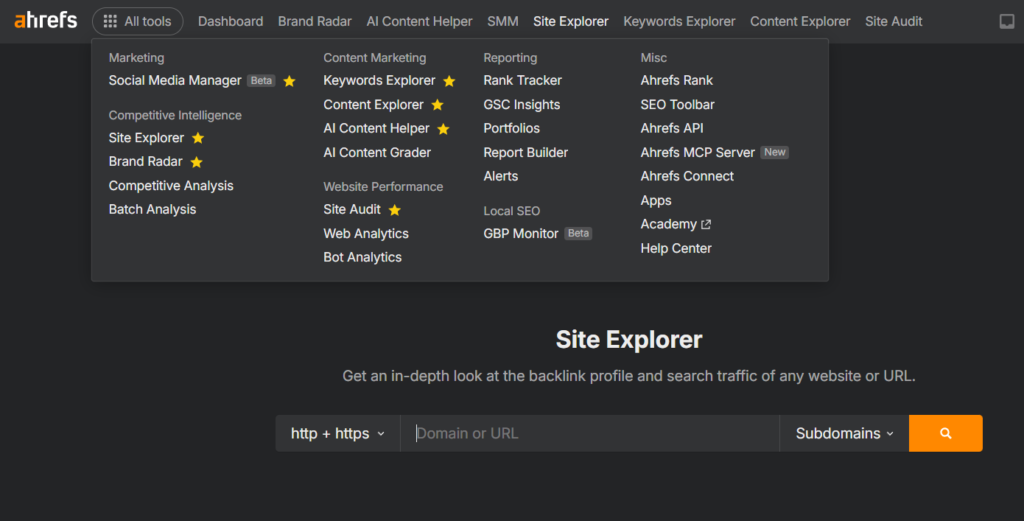
Ahrefs is Semrush’s main rival and is especially respected for backlink data, widely considered the best in the industry. It also does keyword research, content research, rank tracking, and site audits well, with a cleaner interface that many find easier than Semrush. Pricing is comparable and uses a credit-based system that some users dislike. Ahrefs also offers a set of genuinely useful free tools (like Webmaster Tools) that beginners can use without paying.
AI features: Ahrefs has leaned into AI search with Brand Radar, which monitors how often your brand is mentioned and cited across AI engines like ChatGPT, Perplexity, Gemini, Copilot, and Google AI Overviews, based on real prompts people use. Note that Brand Radar is a paid add-on on top of a regular subscription. Ahrefs has also woven AI assistance into its keyword research.
Most-used feature: Site Explorer, the backlink analysis that many consider the best in the industry. Best for: backlink analysis and competitor research. Price: limited free tools available; paid plans roughly $129 a month and up. Confirm current pricing on ahrefs.com.
8. Moz Pro
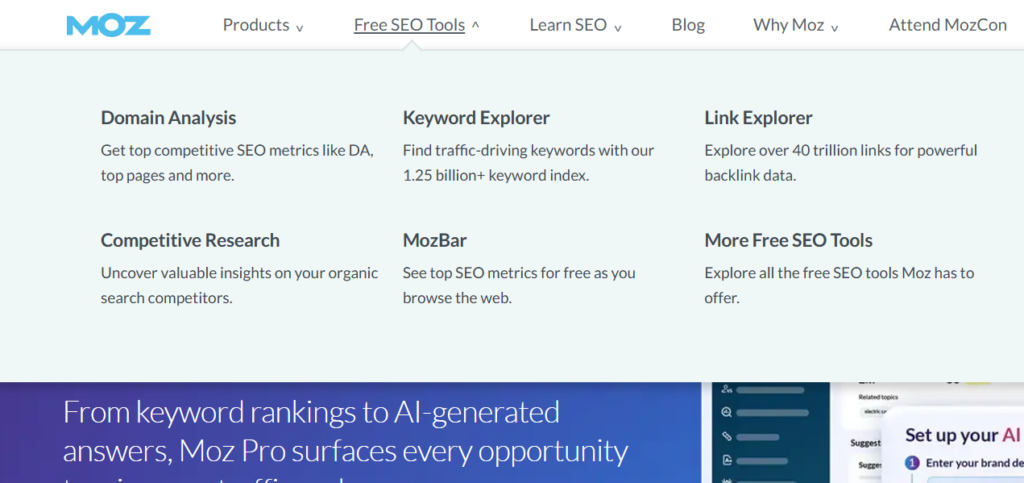
Moz is one of the oldest SEO platforms and is known for being approachable. It is often easier for beginners than Semrush or Ahrefs, and it popularized Domain Authority, a widely used (if imperfect) score for site strength. Its data sets are smaller than the two giants, but for smaller sites and people who value simplicity, Moz is a gentler entry into paid SEO tools. The MozBar browser extension is a popular free companion.
AI features: Moz includes AI-assisted keyword suggestions and recommendations to speed up research. Its AI features are lighter than what Semrush or Ahrefs now offer, but they are enough for the everyday work most beginners do.
Most-used feature: Domain Authority, the popular score it created for estimating how strong a site is. Best for: beginners wanting a simpler paid suite. Price: free tier and trial available; paid plans roughly $99 a month and up. Confirm current pricing on moz.com.
9. Mangools
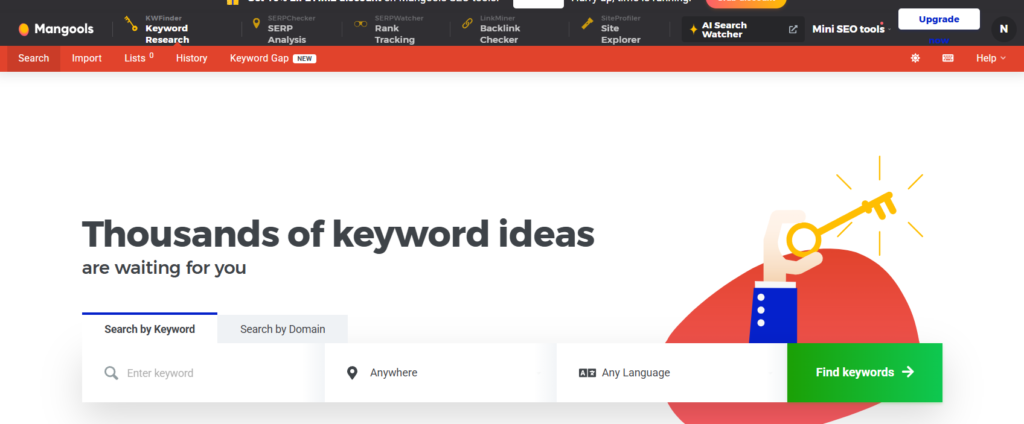
Mangools is the budget-friendly favorite for solo bloggers and small site owners. It is a set of clean, focused tools (KWFinder for keywords, SERPChecker, SERPWatcher for rank tracking, LinkMiner for backlinks, SiteProfiler) with one of the gentlest learning curves anywhere. It does not have the data depth of Ahrefs or Semrush, but for a fraction of the price it covers the essentials beautifully. This is often the first paid tool worth considering after you outgrow free ones.
Most-used feature: KWFinder, its beginner-friendly keyword tool with an easy-to-read difficulty score. Best for: bloggers and beginners wanting affordable, easy keyword research. Price: roughly $20 to $90 a month depending on tier, often cheaper annually. Confirm current pricing on mangools.com.
10. Ubersuggest
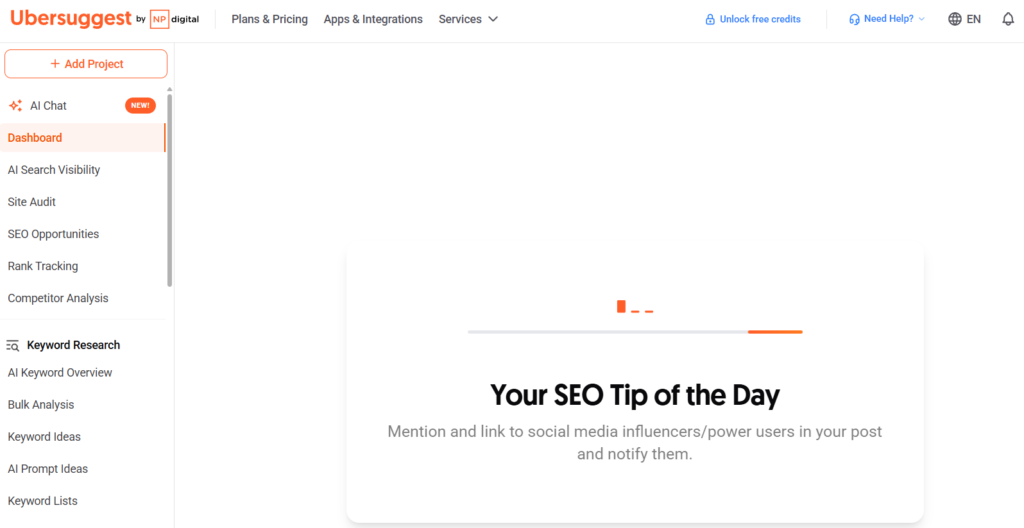
Created by Neil Patel, Ubersuggest aims to be an affordable entry point to keyword research and basic SEO. It offers keyword ideas, content suggestions, and site audits at a lower price than the big suites, and it has a limited free tier plus a one-time payment option that appeals to people who hate subscriptions. The data is not as deep or accurate as premium tools, but for beginners on a tight budget it is a reasonable starting point.
AI features: Ubersuggest bundles in an AI writing assistant plus AI-generated content and keyword ideas, aimed at helping beginners produce drafts and brainstorm topics quickly without a separate writing tool.
Most-used feature: its keyword suggestions, which turn one seed word into a long list of content ideas. Best for: budget beginners who dislike subscriptions. Price: limited free searches; paid plans around $29 a month, with lifetime options sometimes offered. Confirm current pricing on the Ubersuggest site.
11. SE Ranking
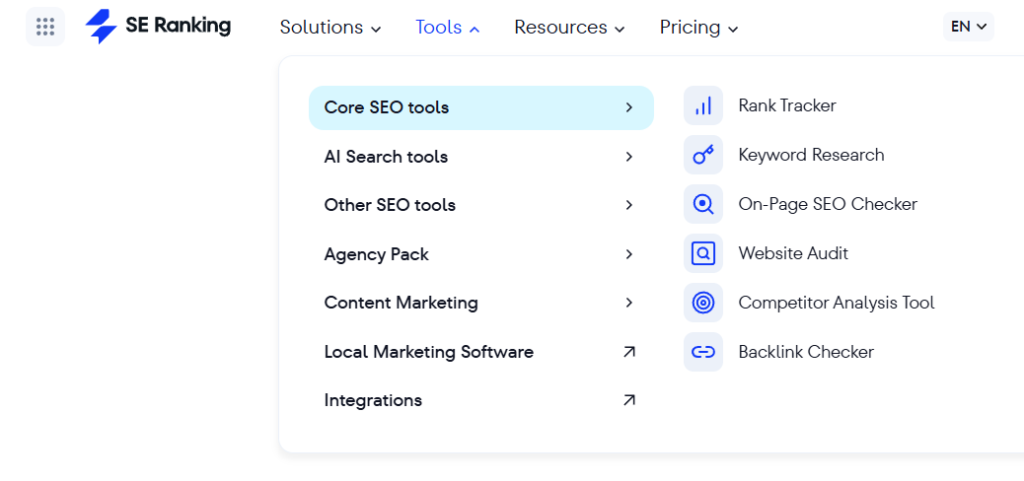
SE Ranking sits comfortably in the middle. It does much of what the big suites do, rank tracking, keyword research, site audits, competitor analysis, even AI search tracking, but at a price that does not make you wince. Reviewers often point to it as the best value for small teams and solo operators who want broad features without the premium bill. Think of it as the natural next step when Mangools starts to feel too light but Semrush still feels like overkill.
AI features: SE Ranking packs a lot of AI in for its price, including AI-powered content generation and tracking of your visibility in AI search results and Google AI Overviews. It puts capabilities once limited to pricier suites within easier reach of small teams.
Most-used feature: keyword rank tracking, its accurate and affordable core that people rely on daily. Best for: small teams wanting broad features at moderate cost. Price: free trial available; paid plans roughly $50 a month and up. Confirm current pricing on seranking.com.
Technical SEO and Site Audit Tools
These tools crawl your site the way Google does, finding broken links, missing tags, slow pages, and other technical problems. If your content is good but something technical is holding you back, this is the category that surfaces it.
12. Screaming Frog SEO Spider
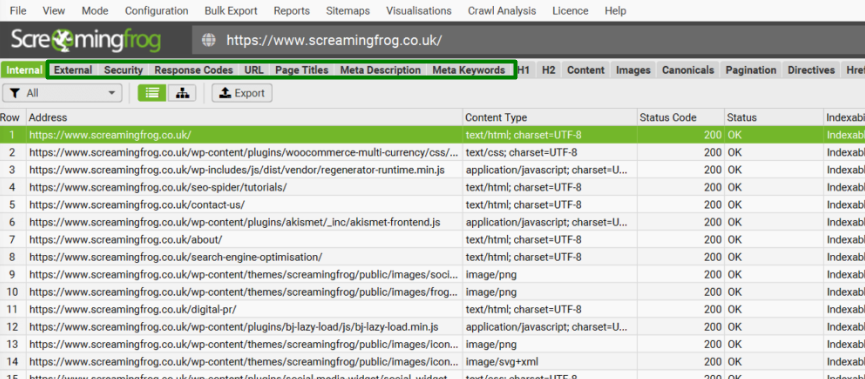
Screaming Frog is the reference desktop crawler for technical SEO. It scans your entire site and reports broken links, redirect chains, duplicate content, missing titles and meta descriptions, and much more. It connects to Search Console, Analytics, and PageSpeed Insights for deeper analysis. The interface is dense and has a real learning curve, but nothing matches its depth for technical audits. The free version crawls up to 500 URLs, which is plenty for a small site.
AI features: Screaming Frog can connect to AI language model APIs, such as OpenAI, during a crawl, letting you automate tasks like generating missing alt text, drafting meta descriptions, or analyzing content at scale. It is a more technical, do-it-yourself kind of AI, but powerful once set up.
Most-used feature: the full site crawl, which surfaces broken links, redirects, and missing tags in one pass. Best for: technical audits on small to large sites. Price: free up to 500 URLs; paid license roughly $259 to $279 a year. Confirm current pricing on screamingfrog.co.uk.
13. Sitebulb
Sitebulb is Screaming Frog’s friendlier rival. It crawls your site and, instead of dumping raw data, explains issues visually and prioritizes them with clear recommendations. That makes it much more approachable for people who find Screaming Frog overwhelming, and its reports are client-ready, which agencies love. It offers both desktop and cloud versions. You pay a bit for that polish, but the guided approach can save real time.
Most-used feature: its prioritized audit hints, which not only find issues but explain and rank them for you. Best for: those wanting guided, visual technical audits. Price: free trial available; desktop plans roughly $18 to $42 a month, cloud higher. Confirm current pricing on sitebulb.com.
14. Seobility
Seobility started life as a simple site health checker and quietly grew into a fuller suite. It audits your site for technical problems, keeps an eye on your rankings, and checks your on-page setup, and the free version scans a limited number of pages, which is often enough for a small site. The data is solid and the price stays gentle, so it suits owners who want real technical checks without signing up for a premium subscription they do not need yet.
Most-used feature: the on-page audit score, a simple health check that flags your site’s technical issues. Best for: affordable technical and on-page checks. Price: free version available; paid plans moderate. Confirm current pricing on seobility.net.
15. GTmetrix
GTmetrix zooms in on one question: why is this page slow? It breaks down exactly what is dragging your load time and lets you test from different locations and devices, which is something PageSpeed Insights does not do as flexibly. The two overlap, and plenty of people happily run both. The free version covers occasional checks fine, and paid tiers add ongoing monitoring if speed becomes a regular concern for you.
Most-used feature: the performance waterfall, a visual breakdown of exactly what loads and what slows a page down. Best for: detailed page-speed diagnostics. Price: free tier available; paid plans optional. Confirm current pricing on gtmetrix.com.
16. Google Lighthouse
Lighthouse is a free, open-source tool built into Chrome. Right-click any page, choose Inspect, and find Lighthouse in the panel to generate a report on performance, accessibility, SEO basics, and best practices. Because it is already in your browser, it is the quickest way to spot-check a single page with no setup. It is more of a developer tool, but the SEO and performance sections are useful to anyone.
Most-used feature: the one-click audit, scoring performance, accessibility, and SEO basics right in your browser. Best for: quick in-browser page checks. Price: free, built into Chrome.
Content Optimization Tools
These tools analyze the pages already ranking for your target keyword and tell you what topics and terms to cover so your content competes. They will not write good content for you, but they help make sure you have not missed something important.
17. Surfer SEO
Surfer is the best-known content optimization tool. It analyzes the top-ranking pages for your keyword and gives your draft a real-time score based on terms, structure, length, and more, so you can see how thoroughly you have covered a topic. It is popular with content teams and bloggers focused on ranking. Used well it is helpful; used blindly it can push you toward formulaic, over-optimized writing, so treat its score as a guide, not a master.
AI features: Surfer pairs its content scoring with AI. An assistant called Surfy helps write and refine drafts, Auto-Optimize can add missing terms for you, and newer AI readability and AI search checks aim to help your content show up in AI Overviews. Higher plans add an AI visibility tracker. Treat the AI writing as a starting point, not a finished article.
Most-used feature: the Content Editor, which scores your draft in real time against the top-ranking pages. Best for: data-driven on-page content optimization. Price: paid plans roughly $99 a month and up, cheaper annually. Confirm current pricing on surferseo.com.
18. Frase
Frase combines content research, AI-assisted writing, and optimization in one tool, at a noticeably lower entry price than Surfer or Clearscope. It mines the questions people actually ask, builds outlines fast, and scores your content, which makes it appealing for solo creators who want to move quickly on a budget. The AI features are built into the workflow rather than bolted on. A practical, affordable pick in this category.
AI features: Frase is built around AI from the ground up. It generates research and outlines from the live search results, drafts and optimizes content, and scores it for both Google and AI search. It even offers an AI Agent that can run multi-step tasks, like auditing your pages and producing briefs, from a single instruction. Powerful for content-heavy work, though the output still needs human review.
Most-used feature: its SERP-based content briefs, which build a research-backed outline in seconds. Best for: budget-conscious content research and briefs. Price: paid plans starting around $15 to $45 a month. Confirm current pricing on frase.io.
19. Clearscope
Clearscope is the premium, enterprise-favored content optimization tool. It is known for clean, high-quality term suggestions and an intuitive A++ to F grading system that non-SEO writers understand instantly. All plans include unlimited users, which large teams value. It does less than Surfer (no keyword research or audits) and costs more, so it suits established content teams that prioritize quality and simplicity over breadth, not beginners.
AI features: Clearscope uses AI to analyze the top-ranking pages and suggest the terms and topics your content should cover, presented as a simple grade. Its focus is AI-assisted optimization of writing a human still does, rather than full AI generation.
Most-used feature: its content grade, the clean A++ to F score that even non-SEO writers understand instantly. Best for: established content teams prioritizing quality. Price: paid plans roughly $129 to $199 a month and up. Confirm current pricing on clearscope.io.
20. AnswerThePublic
AnswerThePublic visualizes the questions and phrases people search around a keyword, organized into who, what, where, why, and how. It is excellent for content ideation, helping you find the real questions your audience asks so you can answer them directly. It offers a limited number of free searches per day, with paid plans for heavier use. A simple, focused tool that pairs well with any keyword research workflow.
Most-used feature: the question visualization, mapping the who, what, why, and how people ask around a topic. Best for: finding question-based content ideas. Price: limited free daily searches; paid plans optional. Confirm current pricing on answerthepublic.com.
Backlink and Rank Tracking Tools
Backlinks (links from other sites to yours) remain a real ranking factor, and rank trackers tell you where you sit in results over time. These tools specialize in those two jobs.
21. Majestic
Majestic is one of the oldest backlink tools around, and it does one thing with real depth: links. It maps the backlink profile of any site and judges link quality with its own two scores, Trust Flow and Citation Flow. If links are specifically what you care about, rather than a do-everything suite, Majestic has one of the largest link indexes in the business. It is a specialist, though, so most beginners will bump into backlink data through Ahrefs or Moz long before they need this.
Most-used feature: Trust Flow, its signature score for judging the quality of a site’s backlinks. Best for: dedicated backlink analysis. Price: paid plans roughly $50 a month and up. Confirm current pricing on majestic.com.
22. AccuRanker
AccuRanker is a specialist rank tracker known for fast, accurate, daily ranking updates. If knowing exactly where your keywords sit each day matters to you, a dedicated tracker like this is more precise than the rank tracking bundled into all-in-one suites. It has expanded into AI search tracking too. This is a tool you add when rank tracking becomes a serious, ongoing part of your work, not a day-one purchase.
AI features: Beyond classic rank tracking, AccuRanker has expanded into AI search, tracking how your site appears in Google AI Overviews and similar AI-generated results. That matters more each month as those answers take up more of the page.
Most-used feature: its fast daily rank updates, prized for being more accurate and timely than most trackers. Best for: precise daily rank tracking. Price: paid plans vary by tracked keywords; free trial available. Confirm current pricing on accuranker.com.
23. Nightwatch
Nightwatch is another rank tracker built for precision, and it shines at one thing in particular: location. It can track how you rank in very specific places, which makes it a favorite for local SEO, and it adds daily updates and white-label reports that agencies lean on. Like AccuRanker, it does a single job well rather than trying to do everything. A beginner can lean on the rank tracking already inside Search Console for now, and reach for a specialist like this only once tracking becomes a real part of the routine.
Most-used feature: granular location tracking, which shows your rankings in very specific places for local SEO. Best for: location-specific and local rank tracking. Price: free trial available; paid plans vary. Confirm current pricing on nightwatch.io.
Free Browser Extensions
These live in your browser and give you instant SEO data as you browse, with no setup and often no cost. They are easy wins for beginners.
24. Detailed SEO Extension
This free Chrome extension instantly shows the on-page SEO details of any page you visit: title, meta description, headings, canonical tag, structured data, and more. It is clean, fast, and perfect for quickly checking how a competitor’s page is set up, or auditing your own pages without opening a heavy tool. A favorite of many SEOs for quick spot-checks.
Most-used feature: its on-page panel, which instantly reveals a page’s title, meta, headings, and tags. Best for: quick on-page checks while browsing. Price: free.
25. SEOquake
SEOquake, made by Semrush, is a free extension that overlays SEO data as you browse and search, showing metrics for pages and full SERPs. It can generate on-page reports and pull data points like word count and metadata. It shows a lot at once, which can feel crowded, but for free competitor and SERP insights while browsing, it is a handy companion.
Most-used feature: the SERP overlay, which shows SEO metrics for every result as you search. Best for: instant SEO metrics on pages and SERPs. Price: free.
26. Keywords Everywhere
Keywords Everywhere is a browser extension that shows search volume, competition, and related keyword data directly inside Google and other sites as you search. It runs on a low-cost credit system rather than a subscription, which many people prefer. It is a lightweight, affordable way to get keyword data woven into your normal searching, without opening a full keyword tool.
Most-used feature: inline search volume, showing keyword data right inside Google as you type. Best for: inline keyword data while searching. Price: low-cost credit system; some free features. Confirm current pricing on keywordseverywhere.com.
WordPress SEO Plugins
If your site runs on WordPress, an SEO plugin handles on-page basics automatically: titles, meta descriptions, sitemaps, and readability guidance. Most beginners only need one of these, free.
27. Yoast SEO
Yoast is the most popular WordPress SEO plugin, and its free version covers what most beginners need: editing titles and meta descriptions, generating an XML sitemap, managing your robots file, and giving readability and keyword feedback as you write. The premium version adds extras, but the free plugin alone makes a WordPress site meaningfully more SEO-friendly. For most new sites, this is all you need on the plugin front.
AI features: Yoast includes Yoast AI, which can generate optimized SEO titles and meta descriptions for a post with a click, saving time on a fiddly task. These AI features sit in the premium version.
Most-used feature: its traffic-light analysis, giving live readability and SEO feedback as you write. Best for: on-page SEO on WordPress. Price: free; premium roughly $99 a year per site. Confirm current pricing on yoast.com.
28. Rank Math
Rank Math is Yoast’s main rival and has grown fast by offering a generous free version with features Yoast reserves for premium, like support for multiple keywords and built-in schema. Many users find it powerful and flexible, though the sheer number of options can feel busier than Yoast’s simpler interface. Either Yoast or Rank Math is an excellent choice; you only need one. Try both and keep whichever feels more comfortable.
AI features: Rank Math includes Content AI, a built-in assistant that suggests improvements, generates meta descriptions and other snippets, and guides your on-page optimization, with some of it available even in the free tier.
Most-used feature: its on-page score with built-in schema, covering multiple keywords at once. Best for: feature-rich on-page SEO on WordPress. Price: free; paid plans optional. Confirm current pricing on rankmath.com.
AI Search Visibility Tools (The New Category)
The newest shift in SEO is AI search. More people now get answers from ChatGPT, Gemini, and Perplexity, sometimes without clicking any site. A fresh category of tools tracks whether and how your brand appears in those AI answers. This is emerging and changing fast, so treat it as one to watch rather than a beginner essential.
29. Exploding Topics
Exploding Topics spots emerging trends before they peak, surfacing topics that are starting to grow in search and online interest. For content planning, getting to a rising topic early is a real advantage, and that is exactly what this tool is built for. It has a free side and paid plans with forecasting features. Useful for creators who want to write about what is about to be popular, not what already is.
AI features: Exploding Topics uses AI and machine learning to scan huge amounts of online activity and surface topics that are starting to trend before they peak, which is the core of what makes it useful for early content planning.
Most-used feature: its trend discovery, surfacing topics that are starting to grow before they peak. Best for: spotting rising topics early. Price: some free access; paid plans for forecasting. Confirm current pricing on explodingtopics.com.
30. AI Visibility Trackers (Profound, Otterly, and similar)
A wave of new tools, with names like Profound and Otterly, track how your brand shows up across AI engines like ChatGPT, Gemini, and Perplexity, telling you which prompts mention you and how you compare to competitors. Some established suites are adding similar features too. This whole category is young, pricing varies widely, and the tools change monthly, so research current options carefully before committing. For most beginners, this is something to be aware of, not something to buy yet.
Most-used feature: brand mention tracking, showing which AI prompts mention you and how you compare to rivals. Best for: brands monitoring their presence in AI answers. Price: varies widely and changes often; check each provider directly.
Quick Comparison Table: All 30 Tools at a Glance
Here is the whole list in one place so you can scan and compare. Prices are rough ranges, so always confirm the current figure on each tool’s official site. “Free?” shows whether there is a genuinely usable free version or only a trial.
| Tool | Category | Free? | Rough price |
|---|---|---|---|
| Google Search Console | Google free | Yes | Free |
| Google Analytics 4 | Google free | Yes | Free |
| Google Keyword Planner | Google free | Yes | Free |
| Google Trends | Google free | Yes | Free |
| Google PageSpeed Insights | Google free | Yes | Free |
| Semrush | All-in-one | Limited | ~$140 to $500/mo |
| Ahrefs | All-in-one | Limited | ~$129/mo and up |
| Moz Pro | All-in-one | Trial | ~$99/mo and up |
| Mangools | Keyword research | Trial | ~$20 to $90/mo |
| Ubersuggest | Keyword research | Limited | ~$29/mo or lifetime |
| SE Ranking | All-in-one | Trial | ~$50/mo and up |
| Screaming Frog | Technical | Yes (500 URLs) | ~$259 to $279/yr |
| Sitebulb | Technical | Trial | ~$18 to $42/mo |
| Seobility | Technical | Yes (limited) | Moderate |
| GTmetrix | Technical (speed) | Yes | Free tier and up |
| Google Lighthouse | Technical | Yes | Free |
| Surfer SEO | Content | No | ~$99/mo and up |
| Frase | Content | No | ~$15 to $45/mo |
| Clearscope | Content | No | ~$129 to $199/mo |
| AnswerThePublic | Content ideas | Yes (limited) | Free tier and up |
| Majestic | Backlinks | No | ~$50/mo and up |
| AccuRanker | Rank tracking | Trial | Varies by keywords |
| Nightwatch | Rank tracking | Trial | Varies by plan |
| Detailed SEO Extension | Browser extension | Yes | Free |
| SEOquake | Browser extension | Yes | Free |
| Keywords Everywhere | Browser extension | Some free | Low-cost credits |
| Yoast SEO | WordPress plugin | Yes | Free; ~$99/yr premium |
| Rank Math | WordPress plugin | Yes | Free; paid optional |
| Exploding Topics | AI/trends | Some free | Paid for forecasting |
| AI Visibility Trackers | AI search | Varies | Varies widely |
Recommended Starter Stacks by Type of User
If the table above still feels like too much choice, here are simple, sensible combinations depending on where you are. You do not need more than one of these stacks at a time, and you can climb from one to the next as you grow.
| You are a… | Suggested tools | Rough monthly cost |
|---|---|---|
| Brand new beginner | Search Console, Analytics 4, Yoast or Rank Math | Free |
| Growing blogger | The free stack, plus Mangools and Screaming Frog free tier | ~$20 to $30/mo |
| Serious solo or small site | The above, plus SE Ranking or one content tool like Frase | ~$50 to $110/mo |
| Agency or pro | Semrush or Ahrefs, plus Screaming Frog and a rank tracker | $150/mo and up |
Notice that the beginner row costs nothing, and most readers of this guide belong there. Moving up a row should be driven by a real bottleneck, not ambition alone. The free stack is not a lesser choice, it is the correct choice until your needs genuinely outgrow it.
So Which Tools Do You Actually Need?
The stacks above already point most people in the right direction, so the honest summary is short. If you are starting out, the free row is genuinely all you need, and you can stay there happily for months. Climb to a paid tool only when a specific task, like keyword research by hand, becomes too slow to bear, and reach for the big suites like Semrush or Ahrefs only when SEO is central to your work and the cost clearly pays for itself.
The trap to avoid is collecting tools to feel productive. Tools do not rank your site; useful content and time do. The best SEO setup is the smallest one that removes your current bottleneck. Get the free foundation right first, and let real needs, not fear of missing out, decide what you pay for. If you are still building that foundation, our guides on reading your Search Console reports and submitting your sitemap are free, practical next steps. For Google’s own overview of the basics, the SEO Starter Guide is a solid reference.
Frequently Asked Questions
What SEO tools do I really need as a beginner?
Far fewer than most lists suggest. Google Search Console and Google Analytics 4 (both free) plus a free WordPress SEO plugin like Yoast or Rank Math cover the essentials. You can run a healthy site on these alone for a long time before paying for anything.
Are free SEO tools good enough, or do I need paid ones?
Free tools, especially Google’s, are genuinely powerful and enough for most beginners. Paid tools mainly add scale, speed, and depth: faster keyword research, deeper backlink data, automated audits. Add a paid tool when a specific task becomes too slow or limited by hand, not before.
Why are the prices here shown as ranges?
SEO tool pricing changes often, with new tiers, restructures, and promotions. Listing exact figures would quickly go out of date, so we give realistic ranges to help you compare and always recommend confirming the current price on each tool’s official website before buying.
Do I need a different tool for every SEO task?
No. Many tasks overlap, and all-in-one suites combine several jobs. Most people use just two or three tools that fit their workflow, not one for every category. Buying a separate tool for each function usually means paying for overlap you do not need.
What are AI search visibility tools, and do I need one?
They track whether your brand appears in answers from AI engines like ChatGPT and Perplexity, a growing concern as more searches happen there. The category is new and changing fast. For beginners, it is worth being aware of but not worth buying yet; focus on the fundamentals first.