Search for WordPress security and you are immediately told to buy a premium security plugin, as if your blog is one click away from disaster without it. For a small blog on a budget, that is intimidating and, frankly, mostly unnecessary. The truth is that the large majority of real WordPress security comes from a handful of free habits, not from an expensive plugin.
This guide shows you how to secure a WordPress blog without paid plugins, focusing on the steps that genuinely matter and are safe for a beginner to do. We will also be honest about the advanced techniques you will see elsewhere that can break your site if done wrong, so you know what to leave alone. Real security, no scare tactics, no risky edits.
The Honest Truth: Most Security Is Free Habits
Before any settings, understand where real risk comes from, because it reframes everything. Security experts who clean hacked sites for a living consistently say the same thing: the vast majority of WordPress hacks come from a few predictable causes, weak passwords, outdated software, and dodgy downloads.
What this means is genuinely reassuring. If you use strong passwords, keep everything updated, and avoid installing things from untrustworthy sources, you have handled the large majority of your real risk, for free, without a single security plugin. Most attacks on small blogs are not clever hackers targeting you personally; they are automated bots scanning for the easy, obvious weaknesses. Close those, and you are already safer than most sites. The expensive tools mostly address edge cases that a small blog rarely faces. So let us focus on the free habits that do the heavy lifting.
Keep Everything Updated (the Single Biggest Thing)
If you do only one thing for security, make it this. Outdated software is the most common way WordPress sites get hacked, because updates often fix security holes, and running an old version leaves those holes wide open for bots that specifically hunt for them.
Keep three things current: WordPress itself, your theme, and your plugins. WordPress applies minor security updates automatically, but check your dashboard regularly and apply the updates waiting there. This costs nothing and is the most effective security action available to you. A small honest tip: it is wise to have a recent backup before applying major updates, which most hosts can make for you, so that on the rare occasion an update conflicts with something, you can restore easily.
Use Strong Passwords and a Smart Username
Weak login credentials are the second great weakness, and fixing them is completely free. Bots run constant brute-force attempts, guessing common username and password combinations on countless sites at once, including yours.
Two simple moves shut most of this down. First, never use “admin” as your username, since it is the first thing bots try. If your main account is called admin, create a new administrator account with a unique name, then delete the old one (while logged in as the new account). Second, use a long, unique password you do not reuse anywhere else; a long passphrase of several random words is both strong and memorable. These two free changes remove the easy path most automated attacks rely on.
Turn On Two-Factor Authentication
Two-factor authentication, or 2FA, is one of the strongest protections you can add, and it is available for free. With 2FA on, logging in requires your password plus a second code, usually from an app on your phone, so even if someone steals your password, they still cannot get in.
This is the one place where a free plugin is genuinely worth it, and worth being clear about: there are well-regarded free 2FA plugins, and using one is a sensible exception to a no-plugin approach because the security gain is so large. This article is about avoiding paid plugins and unnecessary bloat, not about refusing every free tool that adds real protection. A single, reputable, free 2FA plugin is a smart addition, not the bloat we are avoiding.
Only Install Plugins and Themes You Trust
Where your add-ons come from matters enormously, and choosing well costs nothing. Every plugin and theme is code running on your site, so a malicious or abandoned one is a real danger.
Follow a few free rules. Install plugins and themes only from the official WordPress directory or reputable developers, never from random sites offering free copies of paid products. Those “nulled” downloads are one of the most common ways sites get infected, because they frequently hide malware, and you should assume any unofficial copy is compromised. Before installing anything, check it is actively maintained and well reviewed. And delete any plugin or theme you are not using, since even inactive ones can become entry points. A lean, trusted set of add-ons is safer and faster than a pile of questionable ones.
Make Sure Your Site Uses HTTPS
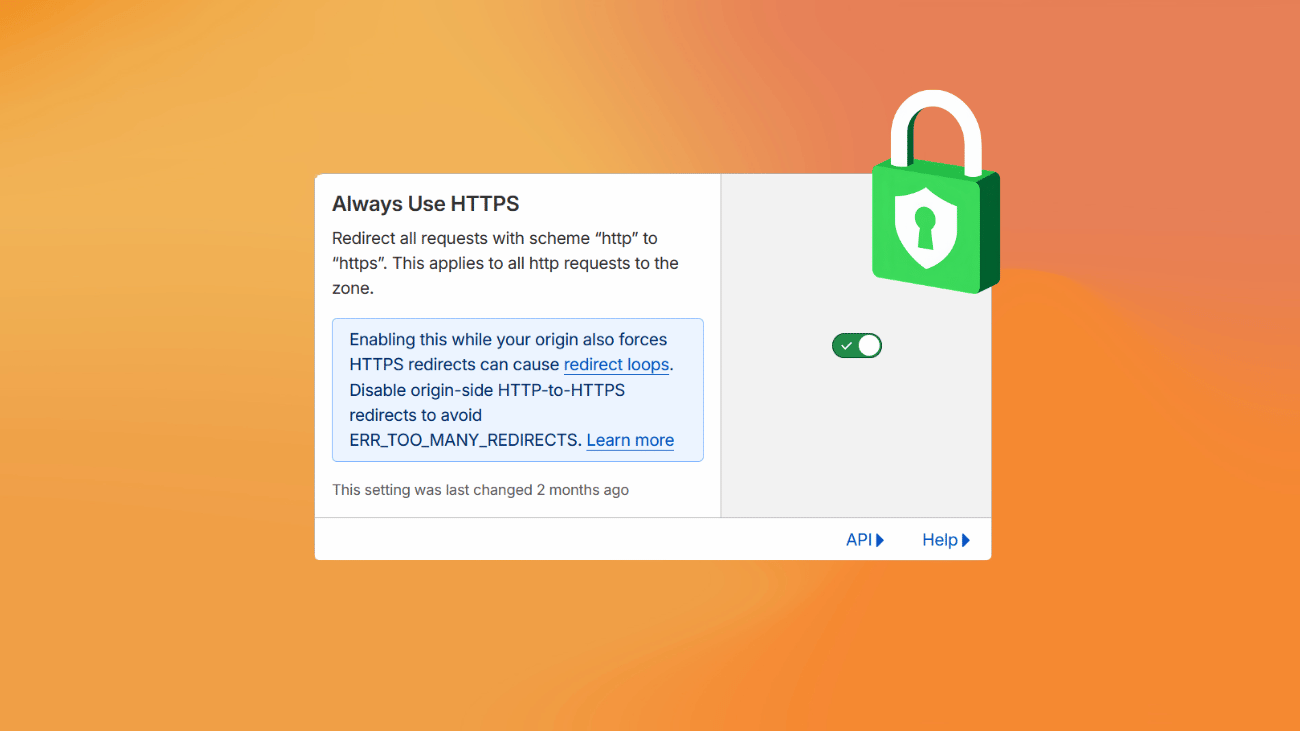
Your blog should run on the secure version of the web, shown by the padlock and the “https” in your address. This encrypts the connection between your visitors and your site, protecting any data passed and building trust, and it is also a small ranking signal for Google.
The good news is this is almost always free and easy now. Nearly every host provides a free security certificate, often enabled by default or available with a click in your hosting dashboard. Check that your site loads with the padlock, and if it does not, your host’s support can usually switch it on quickly. No paid plugin required.
Let Your Host and a Free CDN Do the Heavy Lifting
Here is a smarter approach than piling security tools onto WordPress itself: stop bad traffic before it ever reaches your site. This is both more efficient and, for a beginner, safer than tinkering with your site’s internals.
Good hosting already includes server-level security that blocks many threats for you, which is one reason choosing a reputable host matters. On top of that, a free service like Cloudflare can filter malicious bots and absorb certain attacks before they touch your blog, at no cost. We cover whether that fits your situation in our guide on whether you really need Cloudflare for a small blog. Letting your host and a free network handle threats at the edge is often more effective than any plugin running inside WordPress.
A Word on the “Advanced” Tricks You Will See Elsewhere
Now an honest warning, because many no-plugin security guides send beginners straight into dangerous territory. You will see advice to edit core files like .htaccess or wp-config.php, change file permissions, hide your login page by editing files, or clean your database directly. Some of these can add security, but they are genuinely risky.
The honest truth: a single wrong character in a file like .htaccess can take your entire site offline, and a mistake in file permissions or the database can be just as damaging. For a beginner, the small extra security these offer is not worth the real chance of breaking your site. So my genuine advice is to leave these alone unless you are confident, working on a backup, and following a trusted source carefully. The free habits in this guide, updates, strong logins, 2FA, trusted sources, HTTPS, and host-level protection, give you the overwhelming majority of the protection a small blog needs, with none of the risk. Security should make your site safer, not break it.
Do these basics consistently and your blog is genuinely well protected, for free. As your site grows and matters more, you can layer on more, but you do not need to start there, and you certainly do not need to gamble with risky edits to be safe. For more on keeping your site healthy and fast, our guide on speeding up WordPress without a plugin pairs well with this one.
Frequently Asked Questions
Do I really need a security plugin for WordPress?
For a small blog, usually not a paid one. Most real security comes from free habits: strong passwords, regular updates, trusted sources, HTTPS, and host-level protection. A free 2FA plugin is a worthwhile exception, but you do not need an expensive all-in-one security plugin to be reasonably safe.
What is the most important thing for WordPress security?
Keeping everything updated. Outdated WordPress core, themes, and plugins are the most common cause of hacked sites, because updates patch known security holes. Combined with strong, unique passwords, regular updates handle the majority of real risk for a typical small blog, completely free.
Is it safe to edit files like .htaccess for security?
For beginners, it is risky. A single mistake in .htaccess or wp-config.php can take your whole site offline. The modest security gain is not worth that risk for most people. Stick to safe habits like updates, strong logins, and 2FA, and leave core file edits unless you are confident and backed up.
Are free security plugins safe to use?
Reputable ones from the official WordPress directory are generally safe, and a free 2FA plugin in particular is worth using. The real danger is “nulled” plugins, free copies of paid products from unofficial sites, which often contain malware. Only install from trusted, official sources.
How do hackers usually get into small blogs?
Almost always through automated bots, not targeted attacks. They scan for easy weaknesses: weak or reused passwords, outdated software with known holes, and malicious nulled downloads. Closing those basic gaps stops the overwhelming majority of attacks a small blog will ever face.