Google AdSense has rejected this site five times.
1 June 2026. 31 July. 18 August. 2 September. 12 September. Five emails, all with the same subject line, all telling me the site was not ready to show ads. Here they are sitting in my inbox.

So this is not a guide written by someone who got approved and is reconstructing why it worked. It is a log written from inside the process by someone who is still failing it, and who has now failed it enough times to see the pattern.
That turns out to be the more useful vantage point. Approved bloggers can tell you what their site looked like on the day they passed. They cannot tell you what four months of rejections teaches you, because they never had four months of rejections.
The Timeline, With Real Dates
1 June 2026, 11:56. First rejection. I deserved this one and I want to be honest about why: the site barely existed. My oldest surviving article was not published until 20 June, three weeks after this rejection. I applied to AdSense before I had a site worth reviewing, which is the single most common beginner mistake and I made it first.
31 July 2026, 03:31. Second rejection, sixty days later. By now I had been publishing steadily. I assumed volume was the problem, so I had solved for volume.
18 August 2026. Third rejection, eighteen days after the second.
2 September 2026. Fourth rejection, fifteen days later.
12 September 2026, 13:37. Fifth rejection, ten days after that. At this point the site had 47 published articles, an own domain, HTTPS, working navigation, and every trust page in place.
Look at the gaps: sixty days, then eighteen, then fifteen, then ten. They shrink every time. That is not me getting more efficient at fixing things. That is me getting more impatient, requesting reviews faster with less changed between each one. The accelerating gap is the clearest evidence of what I was doing wrong, and I did not see it until I lined up the dates.
My Site Disproves the “You Need 15 Posts” Rule
Search for AdSense requirements and you will be told you need fifteen posts, or twenty, or six months of site age, or a thousand words per article. These numbers are everywhere, stated with total confidence.
At my most recent rejection this site had 47 published articles. Most ran well past a thousand words. The site was around three months old with a clear niche and consistent publishing. By every number the internet gives you, I should have sailed through.
I have been rejected five times.
Google does not publish a minimum post count, a minimum site age, or a minimum traffic level. The numbers you read come from bloggers who got approved and worked backwards from whatever their site happened to look like that day. It is survivorship bias dressed up as a requirement. My site cleared every one of those thresholds and it changed nothing, because the thresholds were never what was being measured.
If you take one thing from this article, take this: post count is not a gate, and treating it as one will cost you months. It cost me four.
What Registration Actually Involves
The mechanical part is genuinely simple and genuinely free. Here is the real sequence, with no padding.
You sign in to the AdSense sign-up page with a Google account. Use one you actually check, because every decision arrives there and nowhere else. You enter your site’s URL and your country, which determines your payment and tax setup later. You fill in your payment address, which Google uses for identity verification.
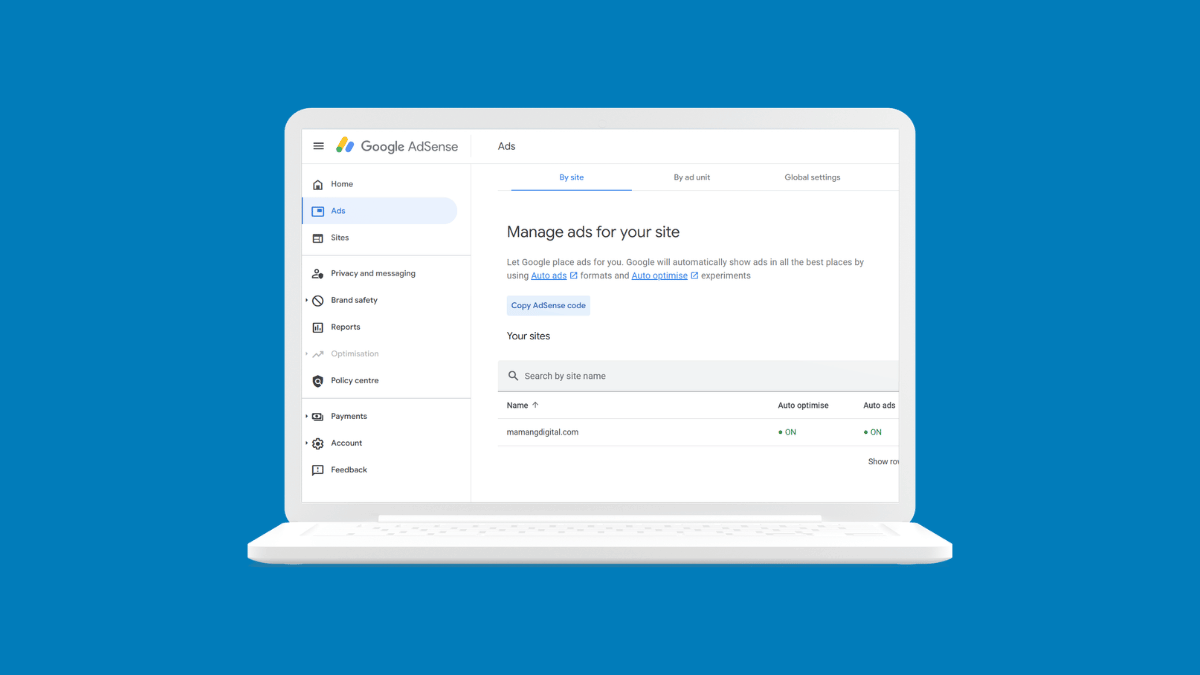
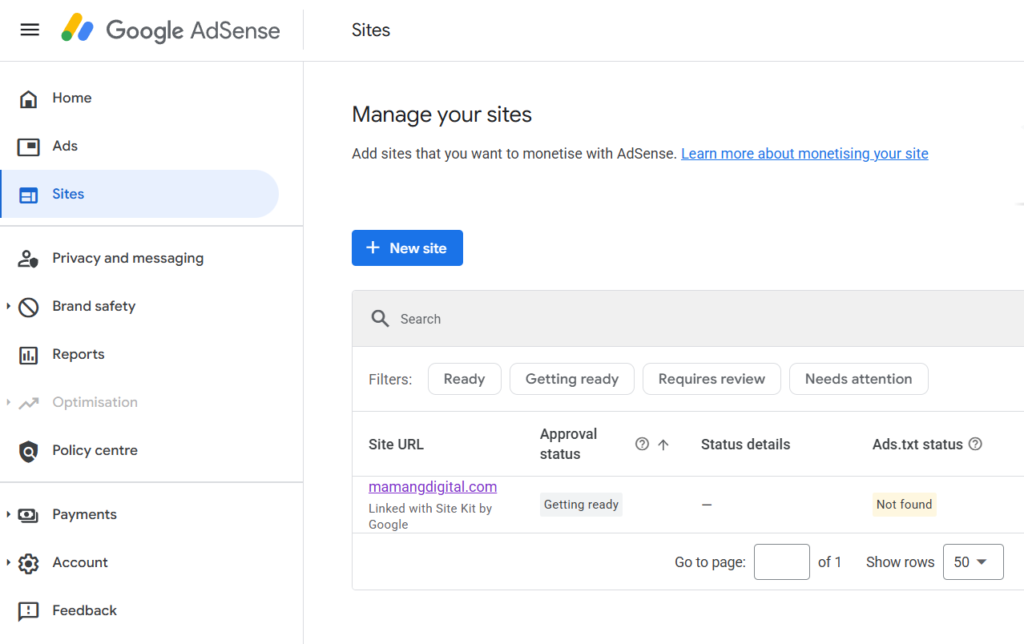
Then comes ownership verification. Google gives you a code snippet for your site’s <head>, or an ads.txt file to publish at your root. On WordPress the cleanest route is Site Kit by Google, which places the snippet without you touching theme files. That is what I used, which is why my site shows “Linked with Site Kit by Google” in the AdSense Sites table.
You verify a phone number, and that is it. The application goes into review. The whole thing takes about fifteen minutes.
Everything difficult about AdSense happens before this step and after it. The registration itself is the easy part, which is why guides that spend two thousand words on it are padding.
The ads.txt Warning That Made Me Panic
Almost immediately after adding my site, the Sites table showed an ads.txt column reading Not found, in a colour that looks exactly like an error.
I lost time on this. I assumed it was blocking my review and went looking for how to fix it.
It was not blocking anything. An ads.txt file declares which companies are authorised to sell ads on your site, and it becomes relevant once you are actually serving ads. During the approval review it is not what stands between you and a decision. My site sat at “Not found” through multiple reviews, and not one of the five rejections had anything to do with it.
If you see it, note it and move on. It is a to-do for later, not a fire.
The Rejection Email Tells You Nothing
This is the thing I most wish someone had told me before the first rejection, because I wasted time on it and then wasted it again.
All five emails are identical. Same subject line: “You need to fix some issues before your site is ready for AdSense”. The body thanks you for submitting, says the team reviewed it, states that your site is not ready, mentions there are issues which need fixing, and points you at a video series and the Sites page.
There is no reason in it. Not in any of the five. It is a template sent for every rejection type, so reading it more carefully will not extract information that was never in it.
The actual reason lives in your dashboard. Go to Sites in AdSense, click your domain, and expand the section headed “We found some policy violations”. That is where you get a named violation.
Mine said Low value content, with a note that the site does not yet meet the criteria for use in the Google publisher network, followed by links to the minimum content requirements and the webmaster guidelines on thin content.
That distinction matters enormously. “Low value content” and “site navigability” are entirely different problems with entirely different fixes. If you only read the email you have no idea which one you have, so you start fixing things at random. Open the dashboard first, every time.
What I Was Doing Wrong For Four Months
After each rejection I did something. I published more articles. I deleted posts that did not fit the site. I cleaned up technical issues, checked my navigation, tidied my structure. Then I requested another review.
Every one of those things felt productive, and not one of them touched the actual problem. Google re-crawled, found substantially the same site it had already judged, and returned the same verdict. Five times.
Here is the honest diagnosis I eventually arrived at, and it was not comfortable. My articles were competent. Accurate, well structured, reasonable length, correctly formatted, decent internal linking. And every single one of them could have been written by anyone, about any site, without ever touching the thing being described. There was no screenshot from my own account. No number from a test I ran myself. No decision I made and then reported the outcome of. Forty-seven articles of correct, generic information.
Google’s bar is not “is this true”. It is “does this offer something that was not already on the web”. Correct and generic fails that bar no matter how many times you publish it. Worse, publishing more of it makes the pattern more visible rather than less, because a growing pile of interchangeable articles is exactly what a content farm looks like from the outside.
That is why this article opens with five rejection dates instead of a checklist. The rejections are the one thing I have that nobody else does.
What I Would Tell Someone Applying Today
Get your own domain, HTTPS, and your About, Contact and Privacy Policy pages in place. These are genuinely non-negotiable and they are cheap to get right.
Then ignore the post count entirely and ask a harder question about each article you have published: could someone have written this without doing the thing it describes? If the answer is yes for most of your site, publishing more will not help you. That was my situation at 47 posts, and it would be yours at 15 or at 80.
And do not request a review until something real has changed. Look again at my gaps shrinking from sixty days to ten. Each of those reviews cost weeks of waiting and returned the same answer, because I kept submitting the same site with a fresh coat of paint. Requesting a review is free, which makes it very easy to substitute for the work.
I will update this article when the answer changes. If it never changes, that is worth knowing too, and I will say so.
Frequently Asked Questions
How many blog posts do I need before applying for AdSense?
There is no official minimum, and post count is not what is being assessed. This site has been rejected five times, most recently with 47 published original articles, most over a thousand words. If a number were the gate, I would have passed it long ago.
Does my site need a minimum amount of traffic to apply?
No. Google does not require a minimum number of visitors to apply, and you can register with very modest traffic. Traffic determines what you earn after approval, not whether you get approved.
Why does my rejection email not say what is wrong?
Because it is a generic template sent for every rejection reason. I have five of them and they are word for word identical. The named violation appears only in your AdSense dashboard, under Sites, in the “We found some policy violations” section.
My ads.txt says “Not found”. Is that blocking my approval?
It was not in my case. My site showed “Not found” across multiple review cycles and none of the five rejections referenced it. Ads.txt protects your ad revenue once ads are running; it is not what the initial review turns on.
How many times can I reapply after a rejection?
There is no published limit and no penalty for reapplying. I have requested five reviews. But reapplying without substantive change is pointless, and I am the evidence: five requests, five identical outcomes. Change something real first, then give the site time before asking again.