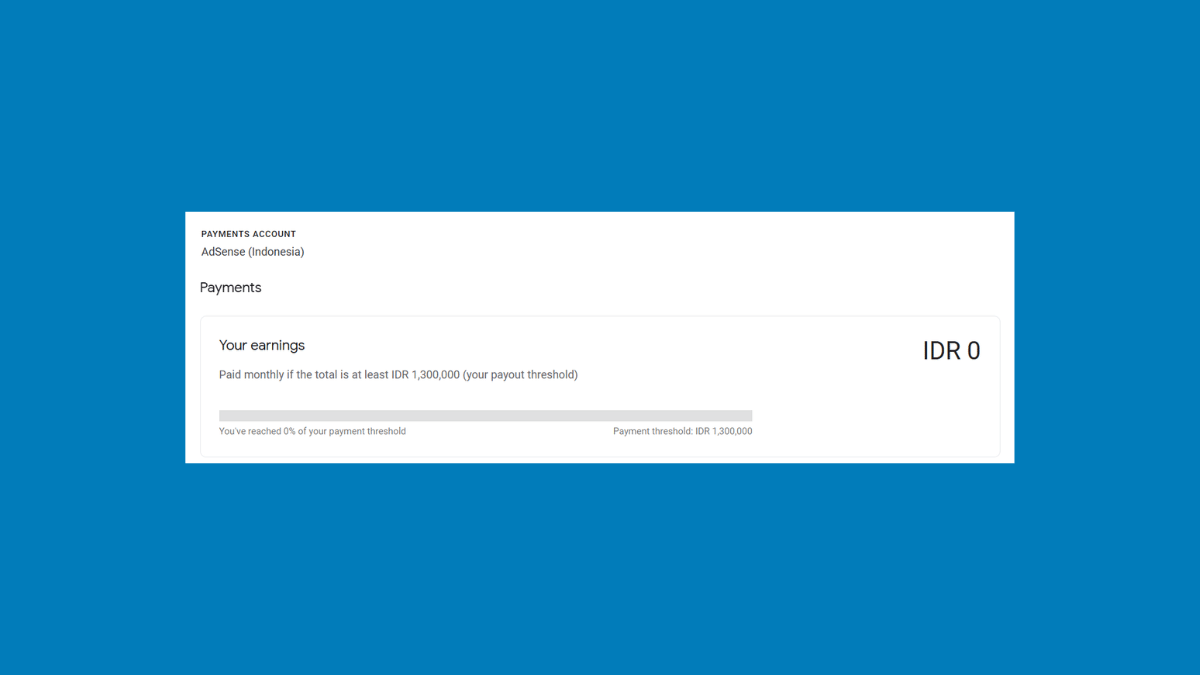
Your ads are running and your AdSense balance is finally moving. Then the questions start. Why has Google not paid you yet? What is this PIN letter people mention? Why does your dashboard say your payment is on hold when you have done nothing wrong?
Getting paid by AdSense is not one event, it is a sequence of milestones that unlock one after another, and almost nobody explains that clearly. This guide walks through the whole path in order, with the exact menus to click at each stage, so you know what happens next and roughly when.
The Three Thresholds Nobody Explains Properly
Most guides tell you that AdSense pays at one hundred dollars and stop there. That is only the last of three separate thresholds, and not knowing about the other two is why the process feels so confusing.
The verification threshold comes first, at around ten dollars or the local equivalent. Reaching it triggers Google to verify who you are, including mailing a PIN to your address. Nothing about payment happens yet, this is purely identity confirmation.
The payment method selection threshold comes next. It is a smaller amount than the final payment threshold, and reaching it unlocks the ability to choose how you want to be paid. Before this point, the option is simply not available, which surprises people who go looking for it early.
The payment threshold comes last, commonly one hundred dollars or the local equivalent. This is the minimum balance before Google actually sends money. Below it, your earnings roll over to the next month indefinitely.
Understanding this order matters because each stage has to be completed before the next one counts. You can sit above one hundred dollars for months and receive nothing if your PIN is still unverified.
Step 1: Get Your Payment Details Right From Day One
Do this before you earn anything, because fixing it later causes real delays. In AdSense, go to Payments, then Payments info, and check the name and address on file.
Your payment name must match your legal identification, since Google uses it to verify your identity and your bank will need it to match too. Your address must be one that reliably receives ordinary postal mail, because Google will physically mail a letter there. Enter it exactly as your postal service expects it, since small formatting differences genuinely cause failed deliveries.
Take this seriously now. Address problems discovered after a PIN has already been mailed cost weeks, and there is no tracking number to follow.
Step 2: Submit Your Tax Information
Depending on your location, Google is required to collect tax information before it can pay you. In AdSense, go to Payments, then look for Manage tax info under settings, and complete the form shown for your country.
The exact form and requirements vary considerably by country, so follow what AdSense actually shows you rather than a tutorial written for somewhere else. The honest advice here is simply to do it early, as soon as your account exists, rather than discovering it as a blocker later when you are waiting on money.
Step 3: Verify Your Identity
When your balance reaches the verification threshold, Google asks you to confirm who you are. This usually means providing a government-issued identity document through the prompts in your account.
Check your status by going to Payments, then Verification check, which shows exactly what is still required of you. Complete whatever it asks promptly, because in some cases Google will not mail your PIN until identity verification is finished, which quietly delays everything downstream.
Step 4: The PIN Letter (and Its Four Month Deadline)
This is the stage that generates the most confusion and the most panic, so here is exactly how it works.
What Google sends you
Once your earnings cross the verification threshold, Google mails a letter containing a six digit PIN to your payments address. It travels by ordinary international mail with no tracking number, so you cannot follow its progress. Delivery commonly takes several weeks, and longer is not unusual depending on where you live.
Note that in some locations you may not need this step at all if you have already passed online identity verification. Your Verification check page tells you whether address verification applies to you.
The deadline that catches people out
You have four months from the date the PIN is generated to enter it. Miss that window and ad serving on your site stops, which is a far more serious consequence than most people expect from an unopened letter.
So when your dashboard tells you a PIN has been issued, note the date immediately. That date starts the clock, not the day the letter arrives.
How to enter it
When the letter arrives, sign in to AdSense, click Payments, then Verification check. Enter the six digit PIN exactly as printed on the letter, then click Submit. Verification is immediate once the correct PIN is accepted, and your payments address is then confirmed.
If it never arrives
If several weeks pass with no letter, you can request a replacement from the same Verification check screen. Before you do, check your address for small errors, since typos in unit or apartment numbers are a frequent cause of failed delivery.
There is a limit to how many replacements Google will send, so treat each one as worth getting right rather than reflexively requesting another. If repeated attempts fail, Google’s help documentation covers alternative options for your situation.
Step 5: Choose How You Want to Be Paid
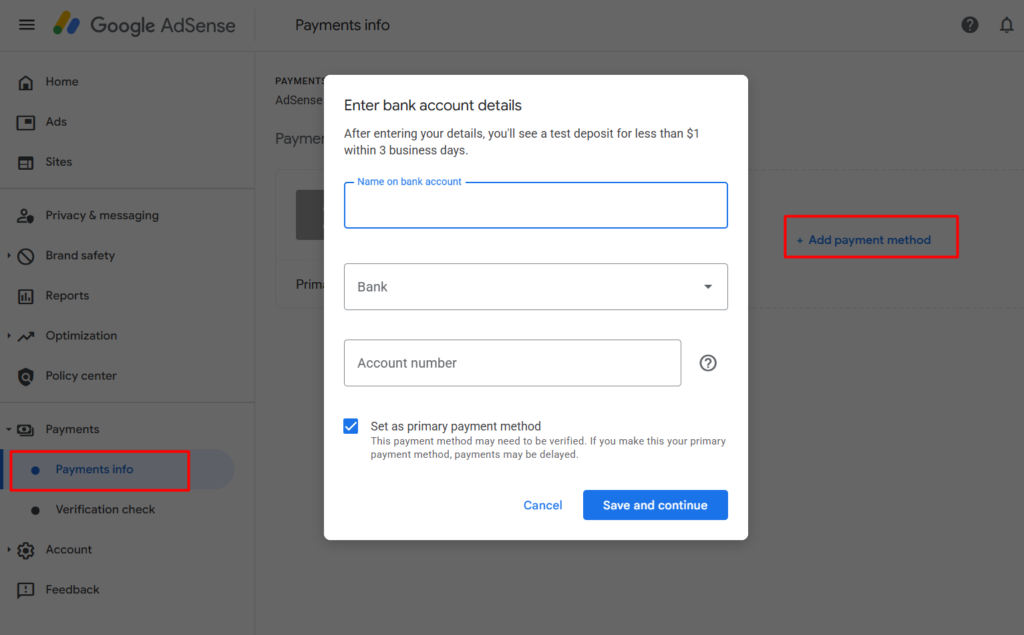
Once your balance reaches the payment method selection threshold, this option becomes available. Go to Payments, then Payments info, and select Add payment method.
The options available depend entirely on your country, and commonly include electronic bank transfer, wire transfer, and in some places checks. Electronic transfer to a bank account is the most widely used where it is offered.
Enter your bank details carefully, and make sure the account holder name matches your AdSense payment name exactly. A mismatch here is one of the most common reasons a payment is rejected and bounced back, which restarts the waiting. In some countries Google confirms the account with small test deposits, which you then verify in AdSense before payments can be released.
Save the method as your primary one. Without a payment method set, your balance simply accumulates and nothing is sent, no matter how high it climbs.
Step 6: Understanding When the Money Actually Arrives
Here is the honest timeline, which is considerably slower than most people assume. Your earnings for a month are finalized in the early part of the following month. If your balance is above the payment threshold at that point, Google issues the payment in the second half of that month, typically between the twenty first and twenty sixth.
Then the money still has to travel to your bank, which takes additional days and sometimes considerably longer for international transfers. In practice, money you earned in one month may not reach your account until well into the month after next.
This lag is normal and not a sign anything is wrong. If you are still building traffic and wondering what these numbers realistically look like, our honest guide to realistic AdSense earnings sets expectations properly.
Payment on Hold? Here Is Why
A hold notice on your dashboard looks alarming but usually means something simple is incomplete. Work through these in order.
Your PIN is not verified. This blocks all payments regardless of your balance, and it is the most common cause by far.
No payment method is set. Google cannot send money without knowing where, and this is easy to overlook if you passed the selection threshold without noticing.
Identity or tax information is incomplete. Check the Verification check page, which lists precisely what is outstanding.
You set a hold yourself and forgot. AdSense lets you pause your own payments, and people do occasionally enable this and forget entirely.
Your account is under review. If Google is checking policy compliance, payments pause until that finishes. Our guide on AdSense mistakes that get accounts suspended covers what triggers these reviews and how to avoid them.
A Realistic Way to Think About This
If your site is new, the entire sequence above will unfold slowly, and that is completely normal. Many publishers take months to reach even the verification threshold, and longer still to reach the payment threshold. If your ads are not actually running yet, nothing accumulates at all, so start with our guide on adding AdSense code to WordPress. Watching a balance climb by cents while waiting for a letter in the post is not a sign of failure, it is simply what the early stage looks like.
The practical advice is to complete every step the moment it becomes available. Fill in your details accurately at the start, submit your tax information early, verify your identity when asked, and enter your PIN the day it arrives. Then stop checking your balance daily and go back to publishing, because the only thing that genuinely speeds up your first payment is more people reading your work. Everything else is paperwork you handle once.
Frequently Asked Questions
How much do I need to earn before AdSense pays me?
The payment threshold is commonly one hundred dollars or the local equivalent. But two smaller thresholds come first: around ten dollars triggers identity and address verification, and a slightly higher amount unlocks choosing your payment method. All three stages must be complete before money is sent.
How long does the AdSense PIN take to arrive?
Commonly several weeks, since it travels by ordinary international mail with no tracking. Delivery times vary widely by country. If it has not arrived after about four weeks, you can request a replacement from the Verification check page in your AdSense account.
What happens if I never enter my PIN?
You have four months from the date the PIN was generated. If that passes without verification, ad serving on your site stops, meaning you stop earning entirely. Note the generation date shown in your dashboard, since the clock starts then rather than when the letter arrives.
Why is my AdSense payment on hold?
Usually an unverified PIN, a missing payment method, or incomplete identity or tax information. Occasionally it is a self-imposed hold someone enabled and forgot, or an account review in progress. The Verification check page in your account shows exactly what is outstanding.
Why does the money take so long to reach my bank?
Earnings for a month are finalized early the following month, payment is issued in the second half of that month, and the transfer itself then takes additional days, longer for international transfers. Money earned in one month often arrives well into the month after next. This lag is normal.