Once you start blogging, the upsells never stop. A premium theme to look professional. A paid plugin for this. An SEO tool subscription for that. Faster hosting, an email service, a course that promises to fix everything. Every one of them claims to be essential, and for a beginner it is genuinely hard to tell what is a smart investment and what is money quietly wasted.
So let us cut through it honestly. This guide is not about the basic cost of starting, which we cover in our guide on how to start a blog. It is about the ongoing question every blogger faces: of all the things you can pay for, which ones are actually worth it, and which can wait or be skipped entirely? Since we earn nothing from recommending any of these, we can give you the unfiltered answer.
The Honest Rule for Every Blogging Purchase
Before the specifics, here is one rule that answers most spending questions on its own: pay for something only when its absence is actively holding you back, not because someone told you serious bloggers need it.
The blogging world is full of fear-based selling, the quiet suggestion that without this tool or that upgrade you are not a real blogger and will never succeed. It is mostly noise. The truth is that you can run a healthy, growing blog on free tools for a long time, and most paid upgrades only make sense once you have real traffic, real needs, and a clear reason. Let your actual problems pull you toward purchases, rather than buying ahead of problems you do not have yet. With that lens, let us go through the things you will be tempted to pay for.
Hosting and Domain: The One Cost Worth Paying
If you go the self-hosted route, hosting and a domain name are the genuine essentials, and they are worth every cent. This is the foundation your blog lives on, and trying to avoid it with a free platform usually costs you more later in lost control and a messy migration.
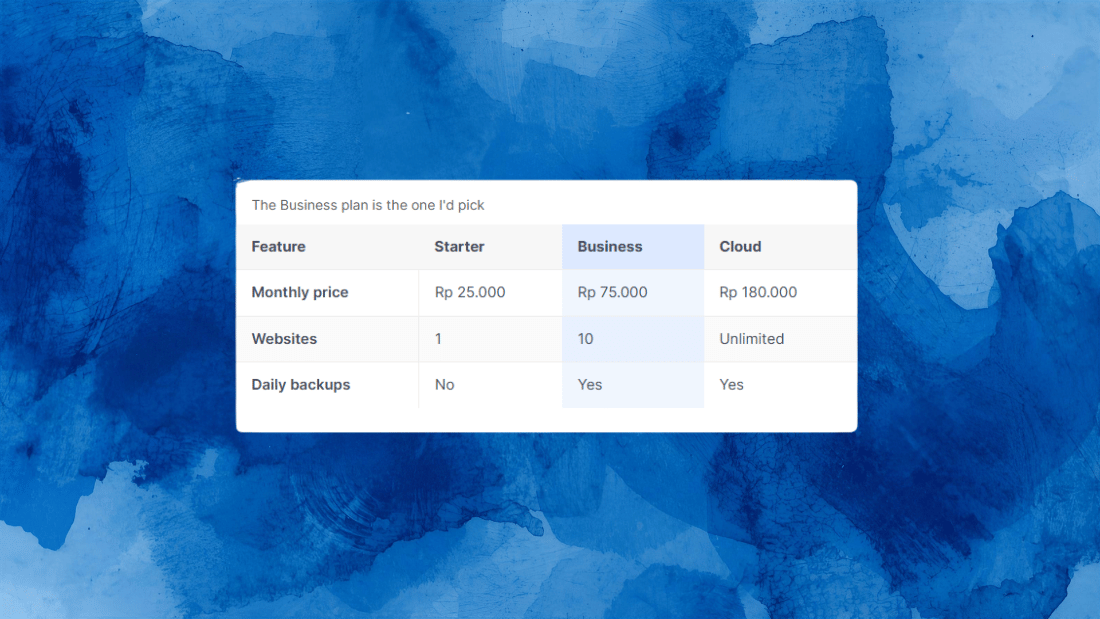
But here is the warning almost no guide gives you, because it is awkward for the ones earning hosting commissions: watch the renewal price. Hosting companies advertise a low introductory rate, often a few dollars a month, then renew at two or three times that once the first term ends. The same happens with domains, cheap or free the first year, then a normal annual fee after. This is not a scam, but it catches beginners off guard. When you choose a host, look at the renewal price, not just the sign-up price, and budget for the real ongoing cost rather than the promotional one.
So yes, pay for hosting and a domain. Just go in with open eyes about what it actually costs in year two and beyond, and you will avoid an unpleasant surprise that makes some bloggers quit.
Premium Themes: Usually Not Yet
A premium theme is one of the first things beginners feel pressured to buy, convinced their blog looks amateurish without one. In almost every case, you do not need it to start, and possibly not for a long time.
Free themes today are genuinely good. They are clean, fast, mobile-friendly, and more than enough to launch a professional-looking blog. The honest reason to eventually upgrade to a premium theme is a specific one: you need a particular design feature or layout control the free version cannot provide. That is a real reason. “It feels more legit” is not. Start with a solid free theme, and only pay when you hit an actual limitation you can name. Many successful blogs run on free themes for years.
Plugins: Free Covers Almost Everything Early On
Plugins add features to a WordPress blog, and there are paid versions of almost everything. For a beginner, the free versions handle nearly all of it. The essential jobs, SEO basics, a contact form, security, backups, image optimization, caching, all have excellent free plugins that are enough to start.
Paid plugins earn their cost only when you need a specific advanced feature the free version locks, and you have a clear reason to want it. For example, a free SEO plugin covers everything a new blog needs; its premium version adds extras most beginners will not touch for months. The pattern repeats across plugin types. So install the free version, use it fully, and upgrade only when you bump into a wall you actually care about, not preemptively.
One caution worth the money indirectly: do not pile on dozens of plugins chasing features. Too many plugins slow your site and create conflicts. A lean set of good free plugins beats a cluttered pile of paid ones.
SEO Tools: The Free Ones Are Enough for a Long Time
This is where beginners waste the most money. Paid SEO tools are powerful, and they are also expensive, often more per month than your hosting costs per year. The pressure to subscribe early is intense, and almost always premature.
The single most important SEO tool is free: Google Search Console, which gives you first-party data straight from Google about how your blog performs. Paired with other free tools, it covers what a new blog actually needs. A paid tool like the big all-in-one suites only starts to make sense after months of consistent publishing, when you have enough content and traffic to act on what they tell you. Buying a hundred-dollar-a-month subscription before you have published twenty posts is spending money to feel like a professional, not to get results. We go deeper on this in our guide to the best SEO tools, where the honest theme is the same: start free, upgrade only when a real need appears.
Email Tools and Everything Else: Wait for the Need
An email list is genuinely valuable, and you will hear you must start one on day one. The nuance: building the habit early is wise, but paying for it early usually is not. Most email services have free tiers that comfortably cover you until you have a meaningful number of subscribers, which takes a while. Start on a free tier, and pay only when you outgrow it, which is a good problem to have.
The same logic applies to the long tail of other upsells: stock photo subscriptions, design tools, analytics upgrades, and so on. Free options exist for nearly all of them and are fine at the start. Add a paid version only when free genuinely limits something you are actively doing. The pattern, by now, should be familiar, and that repetition is the point.
Blogging Courses: Proceed With Caution
Finally, the big one: paid courses promising to teach you how to blog or make money blogging. Some are genuinely good. Many are overpriced repackagings of information freely available, sold using the same fear that you cannot succeed without them.
Here is the honest take. As a beginner, almost everything you need to start is available free, in guides like this one and countless others. Spending hundreds on a course before you have even tried blogging is usually premature. If you later hit a specific skill gap and find a well-reviewed course from someone with real, verifiable results that addresses exactly that gap, it can be worth it. But buying a broad “how to blog” course on day one, out of overwhelm, is one of the easiest ways to spend money without moving forward. Learn free first, and pay for teaching only when you know precisely what you need to learn.
The Bottom Line on Spending
Strip it all down and the honest answer is freeing: the only thing most bloggers truly need to pay for early is hosting and a domain. Almost everything else, themes, plugins, SEO tools, email services, courses, can start free and be upgraded later, if and when a real need appears.
This matters for more than your wallet. Overspending early is not just wasteful, it adds pressure and complexity that make blogging harder to stick with, right when you most need it to feel light and sustainable. The bloggers who last are rarely the ones who bought the most tools. They are the ones who kept costs low, kept publishing, and invested in upgrades only as genuine needs emerged. Start lean, focus your energy on writing, and let your blog itself tell you what it is ready to pay for. Once you have a lean setup running, the next step is helping people find your work, which begins with our guide on adding your website to Google Search Console.
Frequently Asked Questions
What is the only thing I really need to pay for to blog?
For a self-hosted blog, just hosting and a domain name. Those are the genuine essentials. Themes, plugins, SEO tools, email services, and courses can all start on free versions and be upgraded later only if a real need appears. Most beginners overspend by buying these extras far too early.
Are free WordPress themes and plugins good enough?
Yes, for a long time. Free themes are clean, fast, and professional, and free plugins cover SEO, security, backups, forms, and more. Pay for premium versions only when you need a specific feature the free one lacks and can name the reason, not just because paid feels more legitimate.
Why did my hosting price jump after the first year?
Most hosts advertise a low introductory rate that renews at two or three times the price once the first term ends. Domains often do the same. It is not a scam, but it surprises beginners. Always check the renewal price before signing up and budget for the real ongoing cost.
Do I need to pay for SEO tools as a beginner?
No. Free tools, especially Google Search Console, cover what a new blog needs. Paid SEO suites are expensive and only make sense after months of consistent publishing, when you have enough content and traffic to use what they reveal. Buying them early is usually money spent to feel professional.
Are paid blogging courses worth it?
Sometimes, but rarely for day-one beginners. Most of what you need to start is available free. A course can be worth it later if it addresses a specific skill gap and comes from someone with real, verifiable results. Buying a broad course out of early overwhelm usually wastes money without helping you progress.